Conditional Access is the Entra policy engine: if a user, app and context match, then a control applies. Policies are evaluated after first-factor authentication, so Conditional Access is not a front-line defence against denial-of-service. It needs Microsoft Entra ID P1 (also included in Microsoft 365 Business Premium). If the licence lapses, policies stay but cannot be updated. Security defaults are available to all customers who lack Conditional Access.
A policy has assignments, conditions and controls, and Figure 5.1 shows how it goes from sign-in to controls:
| Part | Choices |
|---|---|
| Assignments | Users, groups, agents (preview) and workload identities; target resources (all resources, specific apps, user actions such as Register security information and Register or join devices, authentication context) |
| Conditions | User risk, sign-in risk, insider risk, device platforms, network (locations), client apps, filter for devices |
| Grant controls | Block access; Require MFA; Require authentication strength; Require compliant device; Require hybrid joined device; Require app protection policy; Require password change; Require terms of use |
| Session controls | Sign-in frequency, persistent browser session, application enforced restrictions, Conditional Access App Control, continuous access evaluation settings, token protection |
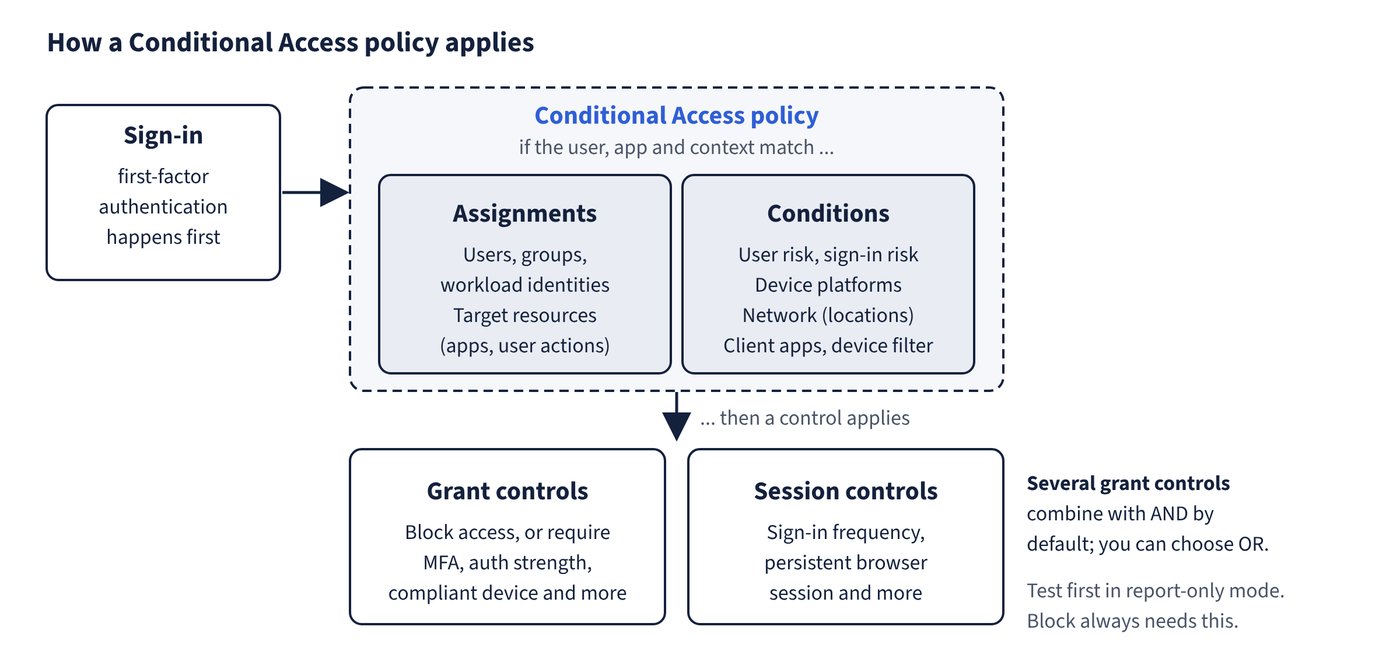
Behaviour to know:
- Multiple grant controls are combined with AND by default; you can choose OR.
- Block is the strongest control and always needs report-only testing first.
- The device platform condition relies on user agent strings that can be modified, so use it with compliance or in a block policy. Create a block policy for unsupported platforms by including any device and excluding supported ones.
- Targeting All resources with a baseline MFA policy and no exclusions is Microsoft’s recommended baseline. Resource exclusions on such a policy are now enforced for low-privilege directory scopes too, a change that began rolling out in March 2026.
- Calls by service principals are not blocked by user-scoped policies; use Conditional Access for workload identities.
- Require approved client app reached read-only on 30 June 2026 (no new or edited policies; existing ones keep enforcing). Use Require app protection policy. The compliance control supports Windows, iOS, Android, macOS and Ubuntu; Edge InPrivate is noncompliant.
- Policy for Register security information can restrict where MFA registration happens; a Temporary Access Pass lets users register from anywhere.
- Trusted IPs in MFA service settings are public ranges only for cloud MFA (up to 50 ranges). The “remember MFA” window is best at 90 days or less.
- Exclude emergency access accounts from policies, and exclude service accounts or move them to managed identities.
Common trap: Requiring a compliant device for all users and all resources is a safe baseline - users without enrolled devices, including administrators, are locked out, even from Intune. Test in report-only first.
Common trap: Require approved client app is the current mobile control - it moved to read-only on 30 June 2026; use Require app protection policy.