Start from the workload’s shape and ask what forces a departure from the recommended option. The documentation gives a clear preference for each case. Figure 1.1 shows the starting point and the way out for each workload.
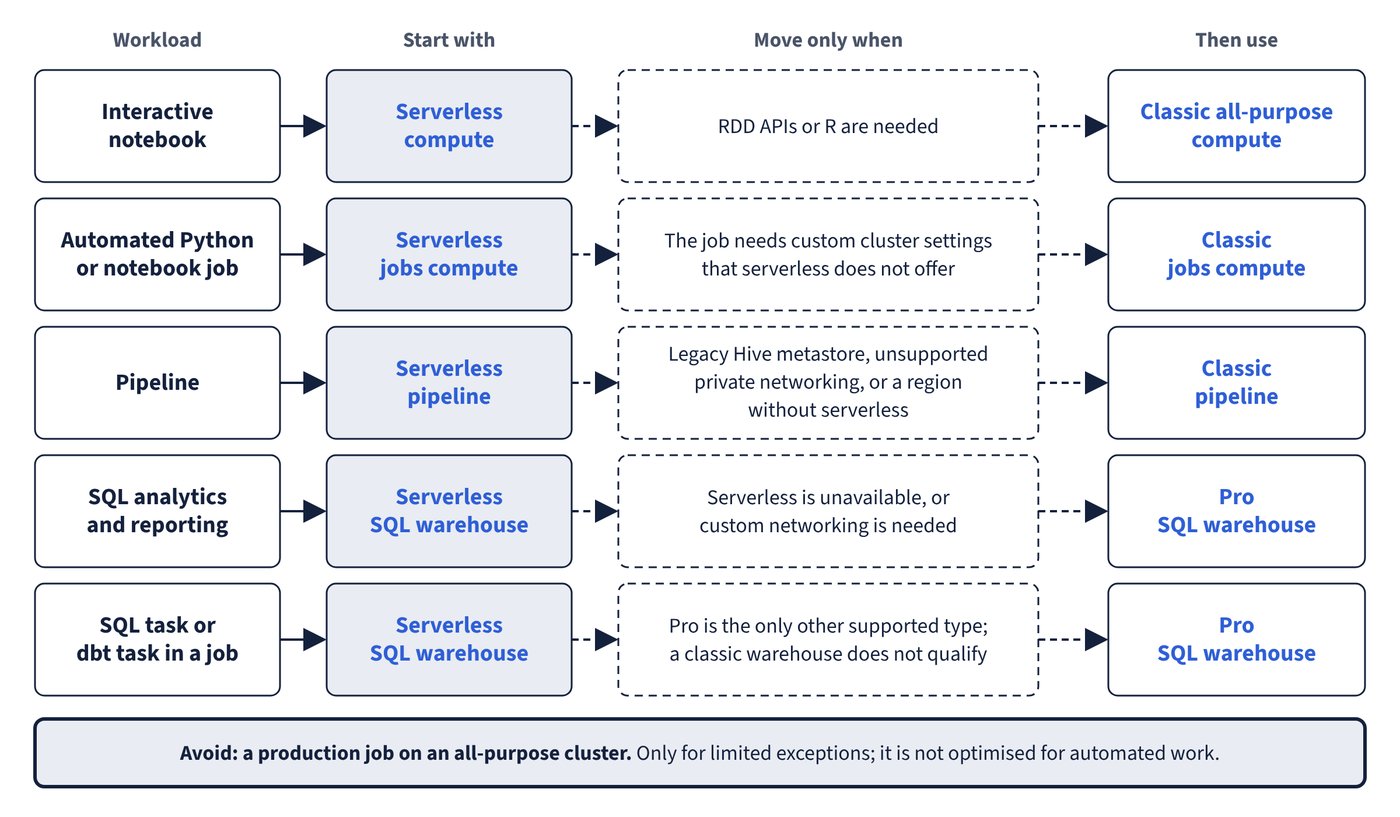
Serverless compute is the recommended choice for most automated workloads in Lakeflow Jobs (formerly Workflows) and in Lakeflow Pipelines (formerly Delta Live Tables). It is also the default: when a job task of a supported type is added, serverless is already selected. Serverless SQL warehouses are a separate product with their own configuration path, even though they share the serverless infrastructure.
| Workload | Recommended | Use something else when |
|---|---|---|
| Interactive notebook | Serverless compute | RDD APIs or R are needed: use classic all-purpose compute. |
| SQL analytics and reporting | Serverless SQL warehouse | Serverless is unavailable or custom networking is needed: use a pro warehouse. |
| Automated Python or notebook job | Serverless jobs compute | The job needs custom cluster settings that serverless does not offer: use classic jobs compute. |
| SQL task or dbt task in a job | Serverless SQL warehouse | Pro is the only other supported type. |
| Pipeline | Serverless pipeline | Legacy Hive metastore, unsupported private networking or a region without serverless: use a classic pipeline. |
| Production job on an all-purpose cluster | Avoid | Only for limited exceptions; it is not optimised for automated work. |
Each task in a job selects its own compute, so one job can mix types where a single task type forces it. The table below gives the documented support for each task type.
| Task type | Recommended | Supported |
|---|---|---|
| Notebook | Serverless jobs | Serverless jobs, classic jobs, classic all-purpose |
| Python script | Serverless jobs | Serverless jobs, classic jobs, classic all-purpose |
| Python wheel | Serverless jobs | Serverless jobs, classic jobs, classic all-purpose |
| dbt CLI commands | Serverless jobs | Serverless jobs, classic jobs, classic all-purpose |
| SQL | Serverless SQL warehouse | Serverless SQL warehouse, pro SQL warehouse |
| dbt | Serverless SQL warehouse | Serverless SQL warehouse, pro SQL warehouse |
| Lakeflow pipeline | Serverless pipeline | Serverless pipeline, classic pipeline |
| Spark Submit | Classic jobs | Classic jobs |
| JAR | See below | Classic jobs, classic all-purpose, and serverless JAR tasks |
JAR tasks on serverless became generally available on 6 August 2026. The serverless jobs and limitations pages state that JAR tasks are supported on serverless, and a dedicated page explains how to build one, with the requirement that the JAR’s Scala and JDK versions match the runtime exactly. The recommended-compute table still lists only classic for them, so treat serverless JAR tasks as supported and check version alignment first.
Common trap: A classic SQL warehouse is fine for a scheduled SQL task because it runs SQL - the SQL task requires a serverless or pro warehouse. Classic warehouses suit interactive exploration only.