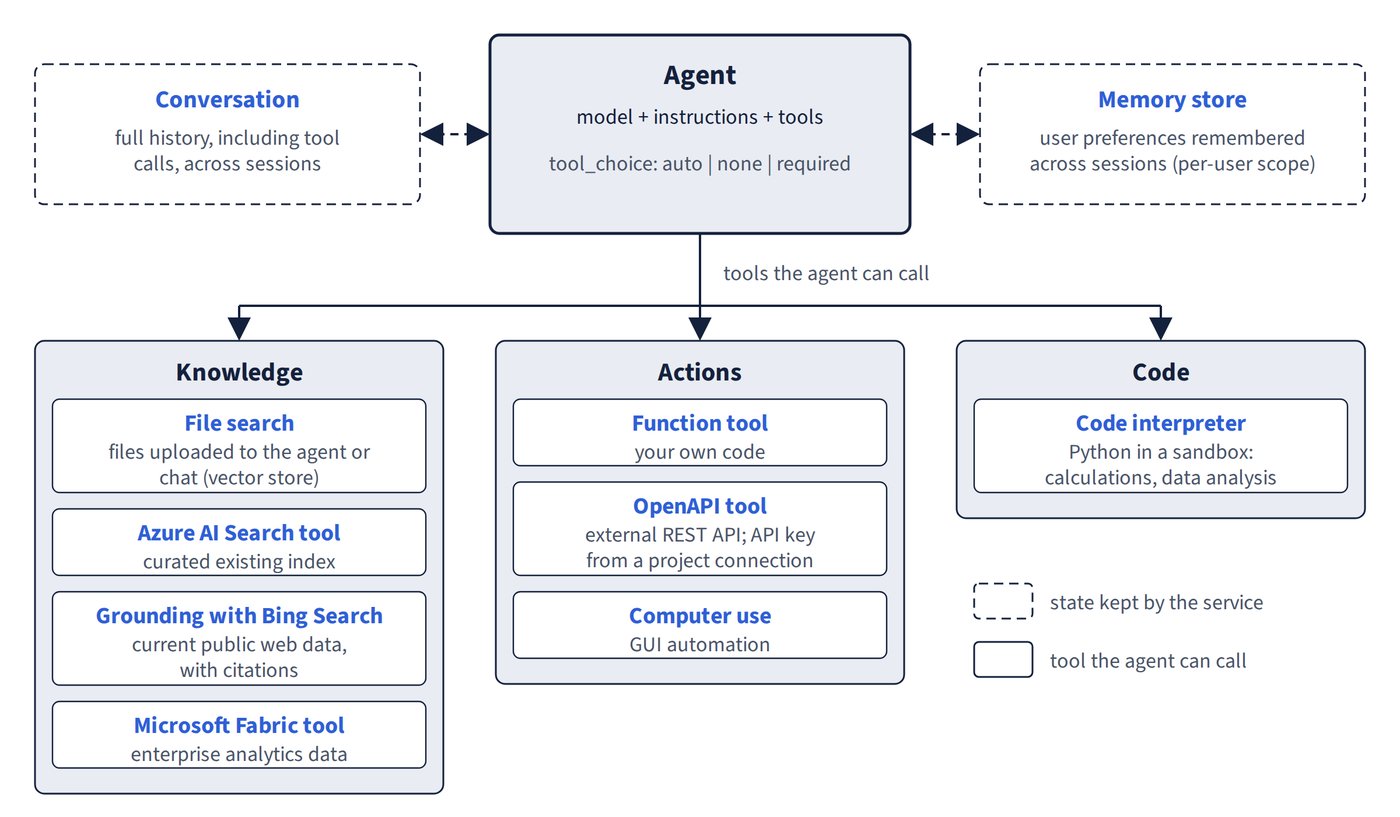
Tools are how an agent reaches beyond its training data: running code, searching, calling APIs or acting on a screen. Pick the tool that matches the data source or action the agent needs. Figure 6.1 groups these tools by job and shows the state the service keeps alongside them.
| Need | Tool |
|---|---|
| Calculations, data analysis in Python | Code interpreter (sandbox) |
| Current public web data with citations | Web search (recommended; no separate Bing resource) or Grounding with Bing Search (via a project connection) |
| Files uploaded to the agent or chat | File search (chunks and embeds into a vector store) |
| Curated existing index | Azure AI Search tool (project_connection_id plus index name) |
| External REST API | OpenAPI tool |
| Your own code | Function tool |
| GUI automation | Computer use |
| Enterprise analytics data | Microsoft Fabric tool |
Controlling whether tools are called
Giving an agent a tool doesn’t guarantee it uses it. The tool_choice setting controls that.
tool_choice |
Behaviour |
|---|---|
auto (default) |
Model decides, and may skip the tool |
none |
No tool calls |
required |
At least one tool call every run; the documented fix when an agent won’t call its tool |
tool_choice="required"with one MCP knowledge-base tool gives grounded, cited answers every run. By contrast,toolsonly lists what’s available, andresponse_formatsets the output format; neither forces a call.knowledge_baseisn’t a valid choice.- When you use the Responses API MCP tool, the tool choice needs the server label.