What's inside
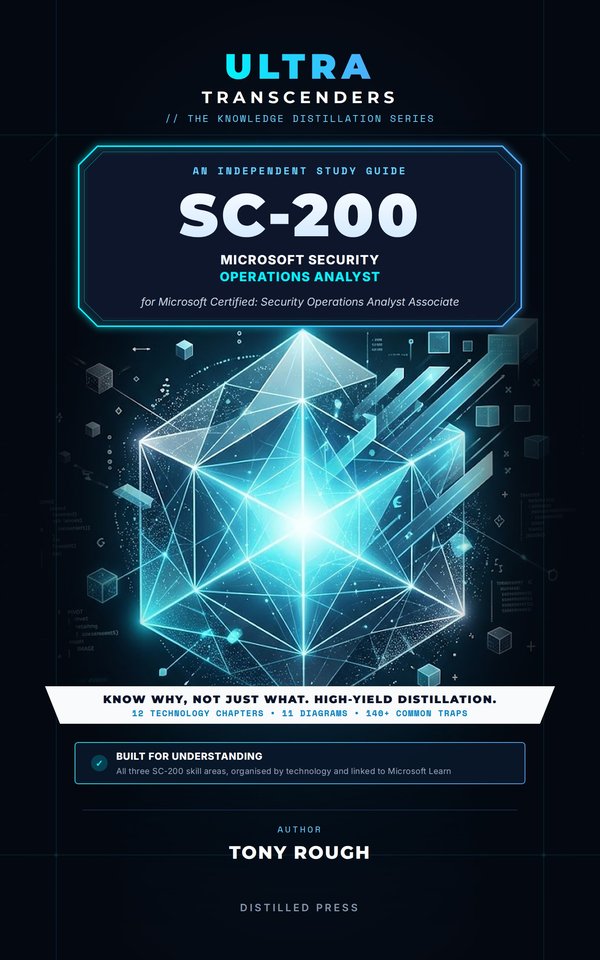
SC-200 doesn't test whether you can find your way round a portal. It tests whether you can choose the right setting, rule type, connector, response action or table for a security operations task in Microsoft Defender XDR and Microsoft Sentinel.
This independent study guide for the Microsoft Certified: Security Operations Analyst Associate exam distils what SC-200 really expects you to understand into the comparisons, configuration choices and traps that security operations decisions turn on, with short KQL and PowerShell examples throughout.
Organised by technology
Twelve chapters, each readable on its own and together covering all three SC-200 skill areas:
- Manage a security operations environment: the Defender portal, unified RBAC, email notifications and alert tuning; Defender for Endpoint advanced features, indicators, ASR rules, custom data collection, device groups, automation levels and automatic attack disruption; Sentinel automation rules and playbooks; Sentinel roles, data tiers and data lake retention, workbooks and SOC optimization; data connectors, AMA and data collection rules, Windows Event Forwarding, Syslog and CEF, threat intelligence and custom tables; custom detections, analytics rules, anomalies, UEBA and MITRE ATT&CK coverage.
- Respond to security incidents: incidents, correlation and case management; device timelines, response actions, investigation packages and live response; Defender for Office 365, Threat Explorer and email remediation; Microsoft Purview alerts; Defender for Cloud, Defender for Cloud Apps, Entra ID Protection and Defender for Identity; Security Copilot and its agents; Purview Audit, Content search and Microsoft Graph activity logs.
- Perform threat hunting: Advanced hunting tables and KQL, threat analytics, hunting graphs and blast radius, Sentinel graph; hunting queries, hunts and bookmarks, search jobs, KQL jobs, summary rules, notebooks, the Sentinel MCP server, ASIM and watchlists.
Inside
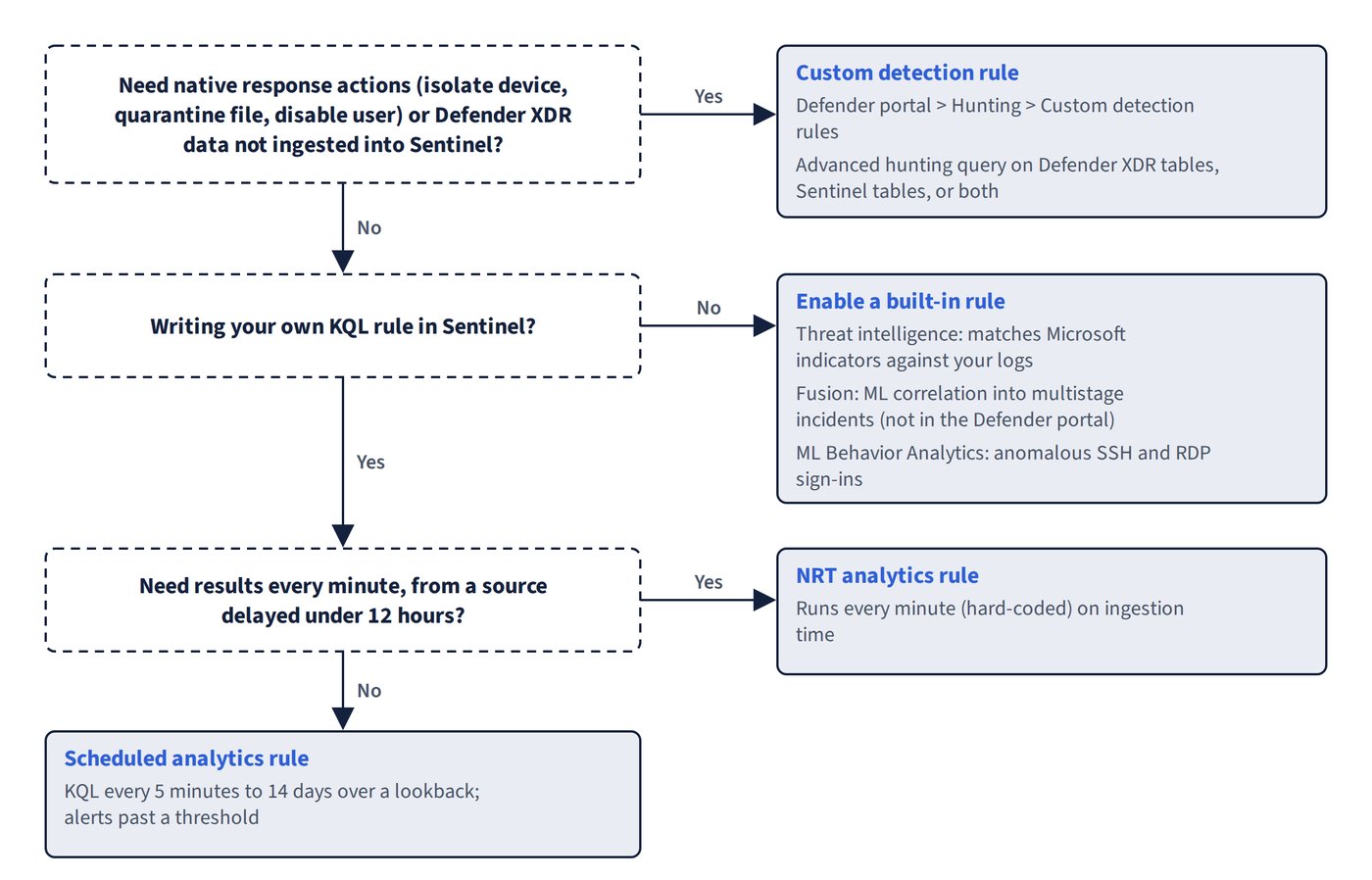
- Comparison tables for every close call, such as custom detections or analytics rules, which automation level, which connector or which background query job fits a requirement.
- 142 Common trap callouts that name the answers that look right but aren't, and explain what's right instead.
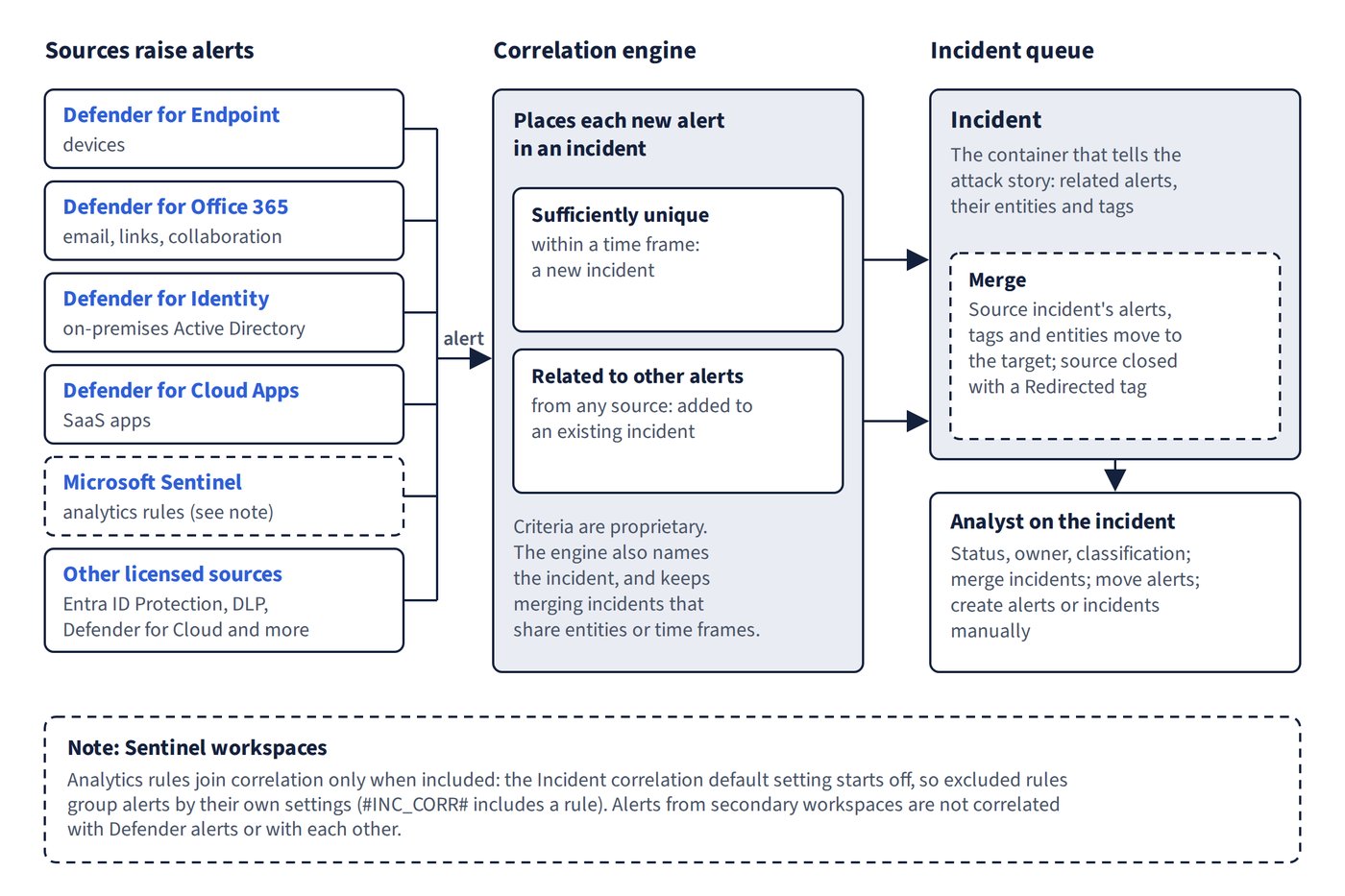
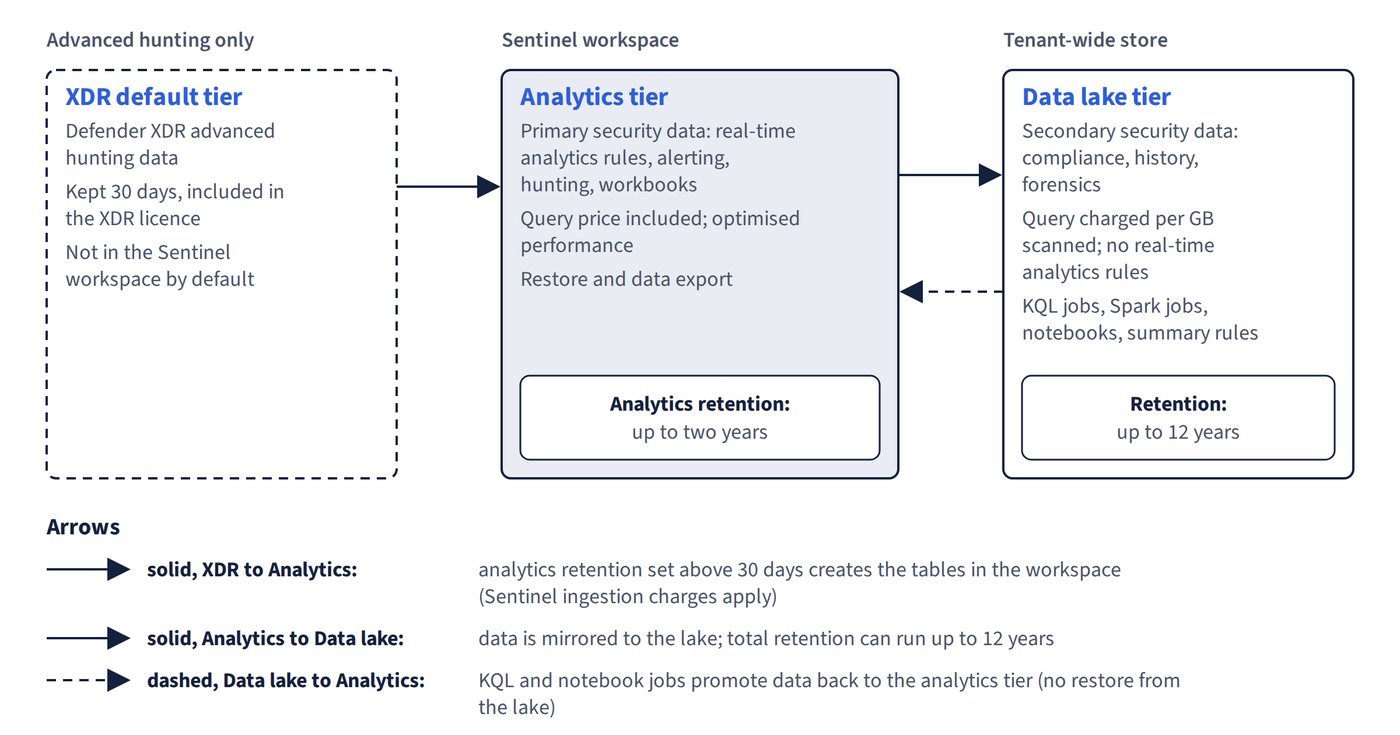
- 11 diagrams, from alert correlation and device group ranking to data tiers, ingestion paths and email remediation.
- Key takeaways at the end of every chapter for fast revision.
- A glossary of more than 350 terms, each linked to Microsoft Learn, with a free online version for print readers.
Up to date
Microsoft security operations change quickly. This edition reflects Microsoft's documentation as of October 2026: Microsoft Sentinel in the Defender portal (the Azure portal experience is supported only until 31 March 2027), the Sentinel data lake, risk policies built in Conditional Access after the legacy ID Protection policies retired, and the current names Microsoft Defender XDR (formerly Microsoft 365 Defender) and Security Copilot (formerly Microsoft Copilot for Security).
Understanding, not memorising
This book contains no exam questions. It explains the knowledge the exam expects, so you can answer questions you have never seen and apply the same judgement in a real security operations centre.
Written by Tony Rough, a cloud architect with more than twenty years in IT infrastructure who holds the Azure Solutions Architect Expert, Azure Administrator and Azure Security Engineer certifications.
Part of the Ultra Transcenders series from Distilled Press. An independent publication, not affiliated with, sponsored by or endorsed by Microsoft Corporation.