Conditional Access applies the right controls only when they are needed, so users stay productive and the organisation stays protected. Microsoft calls it its Zero Trust policy engine.
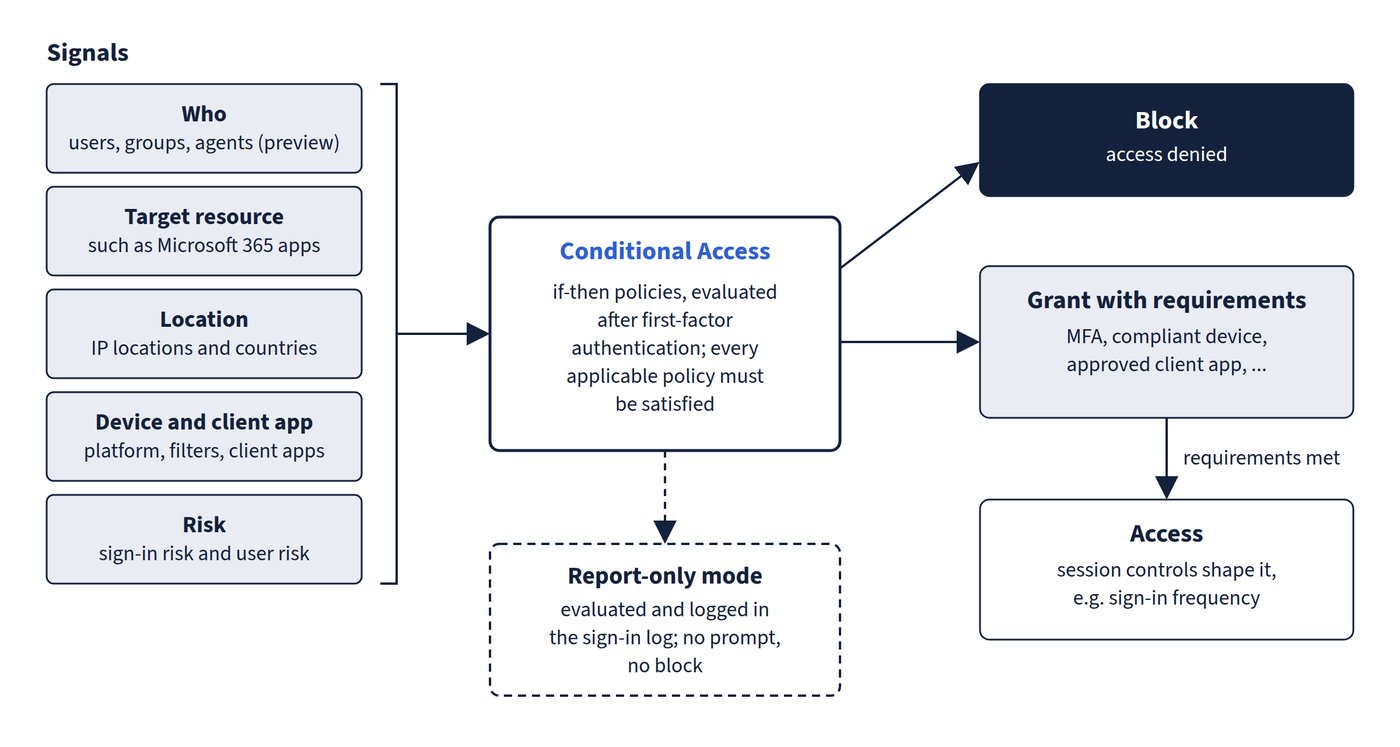
Conditional Access policies are if-then statements: if a user wants to access a resource, then they must complete an action. A policy has assignments (who, what and under which conditions) and access controls (what happens). It is in the Microsoft Entra admin center under Entra ID > Conditional Access, where anyone with at least the Security Reader role can view policies. Figure 4.1 traces a sign-in from signals to decision.
| Part | Examples |
|---|---|
| Signals (assignments and conditions) | Users, groups and agents (preview); target resources such as Microsoft 365 apps; IP locations and countries; device platform and filters for devices; client apps; sign-in risk and user risk from ID Protection |
| Block | Most restrictive decision: access denied |
| Grant with requirements | Require MFA, authentication strength, compliant device, Microsoft Entra hybrid joined device, approved client app, app protection policy, password change or terms of use |
| Session controls | Shape the session after access is granted, for example sign-in frequency |
How policies combine
- Policies are enforced only after first-factor authentication is complete, so Conditional Access isn’t a front-line defence against attacks such as denial of service.
- All applicable policies must be satisfied. If one requires MFA and another a compliant device, the user must do both. Within a policy, assignments are combined with AND.
- If any applicable policy blocks, enforcement stops and the user is blocked.
- Common policies include MFA for administrators, MFA for Azure management, blocking legacy authentication, and blocking risky sign-ins. Templates create recommended policies.
Licences
Conditional Access needs Microsoft Entra ID P1 (also included in Microsoft 365 Business Premium). Sign-in risk and user risk conditions need ID Protection, a P2 feature. If licences expire, policies aren’t disabled or deleted; they can be viewed and deleted but not updated.
Common trap: Expecting the most permissive Conditional Access policy to win when several apply - there is no priority order; every applicable policy must be satisfied and a single block stops the sign-in.