Traditional security trusted anything inside the corporate network. Modern attacks use identity compromise, phishing and session hijacking, which don’t depend on network location, so Microsoft’s security guidance is built on Zero Trust instead.
Zero Trust is a security approach summed up as “never trust, always verify”. Every access request is treated as untrusted wherever it comes from, access is granted only after checking who is asking, what device they use, their location and behaviour, and their risk level, and verification continues throughout a session rather than happening once. Zero Trust is a strategy, not a product; Microsoft describes adopting it as a gradual, long-term journey.
The three principles
| Principle | What it means |
|---|---|
| Verify explicitly | Every access request is authenticated and authorised using all available signals. |
| Use least privilege access | Users and workloads get only the access they need, for the shortest time required. |
| Assume breach | Controls are designed on the expectation that attackers might already be inside: they limit the impact of a breach and enable rapid detection and response. |
Applied consistently, these principles replace “trust by default” with “trust by exception”: access is conditional and temporary, permissions are tightly scoped, and detection and response are built in.
Technology pillars
Microsoft groups Zero Trust controls into technology pillars, the areas of the environment where the principles are applied. Six cover the things to protect; a seventh ties them together.
| Pillar | Role in Zero Trust |
|---|---|
| Identities | Control access decisions: every request starts with identity verification and least privilege. |
| Endpoints | Evaluate device trust: access depends on device health, compliance and risk. |
| Data | Protect the asset itself through classification, labelling, encryption and access control. |
| Apps | Govern how data is accessed, with controls at the application and API layer. |
| Infrastructure | Harden servers, virtual machines, containers and services. |
| Network | Segment and monitor traffic to prevent lateral movement. |
| SecOps (visibility, automation and orchestration) | Integrate all pillars: detect, investigate and respond using signals from across the environment. |
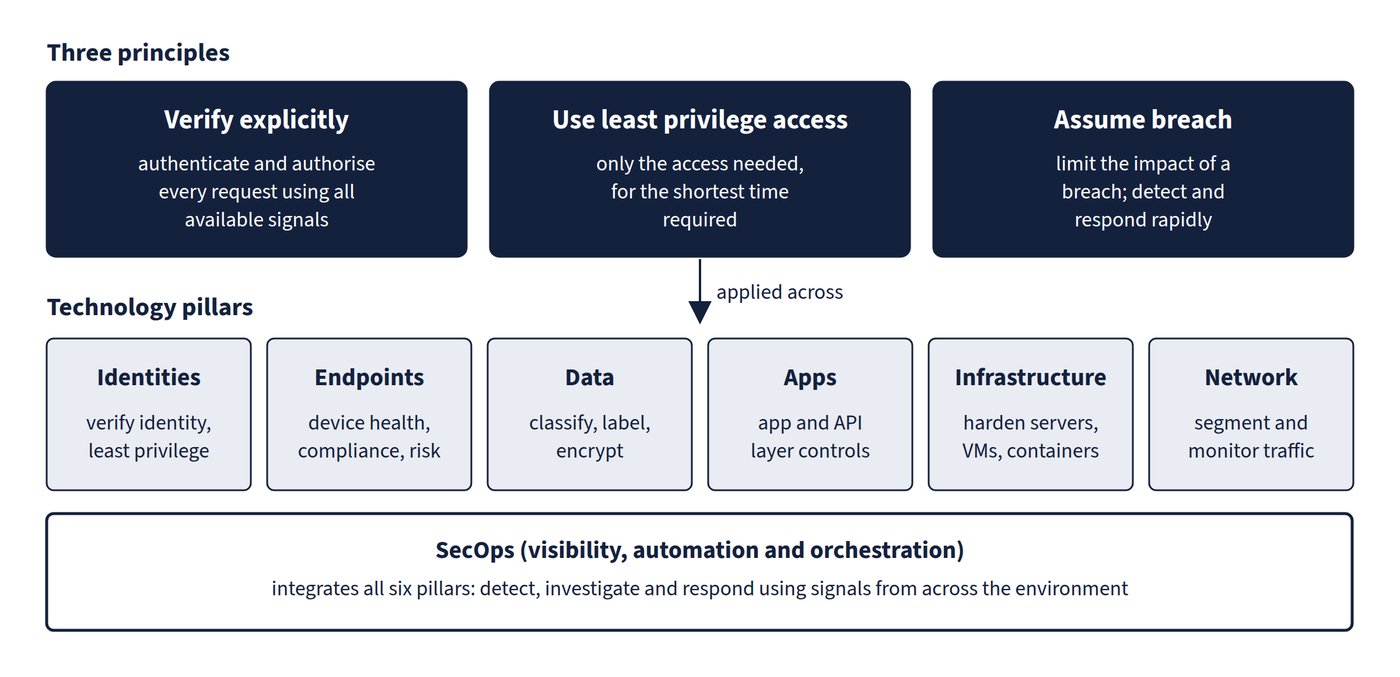
In Microsoft 365, Microsoft Entra Conditional Access acts as the Zero Trust policy engine (Chapter 4), sensitivity labels protect data (Chapter 5: Microsoft Purview: information protection, classification, DLP and retention), and Microsoft Defender XDR supplies the detection and response described later in this chapter. Figure 3.1 shows how the principles sit over the pillars.
Common trap: Treating Zero Trust as a product to buy or a one-time sign-in check - it is a strategy built on three principles, and verification continues throughout the session rather than stopping once the user is signed in.