Every strategy answers the same question differently: how many users see a new version, and how quickly can that exposure be reversed. The exam expects you to match a requirement (instant rollback, measured comparison, per-user control) to the right pattern.
Microsoft’s guidance on safe deployment practices frames this as progressive exposure: a release reaches the users with the highest tolerance for risk first, then widens tier by tier as it proves itself. A typical tier model starts with internal users, moves to a small data centre with a broad mix of customers, then to larger scale units, and finishes with everyone else. Between tiers the release needs bake time; the guidance suggests a 24-hour day is usually enough to surface latent bugs, provided it includes a period of peak usage.
| Pattern | What changes between versions | Best fit | Rollback |
|---|---|---|---|
| Blue-green | Two identical environments; traffic switches from one to the other in one step | Zero-downtime release with instant fallback | Switch traffic back to the old environment |
| Canary | A small share of servers or traffic gets the new version first, then more | Validating a release on real load before full rollout | Stop increasing and route traffic away from the canary |
| Rings (tiers) | Groups of users or scale units receive the release in sequence | Large estates where blast radius must be capped | Stop the rollout at the current ring |
| Rolling | Instances are replaced in batches on a fixed set of servers | VM or node fleets without spare capacity for a second environment | Redeploy the previous version, batch by batch |
| Feature flag | Code ships dark and is switched on by configuration | Separating deployment from release, per-user targeting | Turn the flag off, no redeploy |
| A/B testing | Two or more variants run side by side and are measured | Choosing between designs on evidence | Allocate all users to the winning variant |
| User opt-in | Feature is present but each user chooses to enable it | Letting risk-tolerant users adopt early | Users opt out |
Several patterns are normally combined: a release goes to ring 0, a feature inside it sits behind a flag that is only on for that ring, and the flag might only expose an opt-in option. Azure Pipelines deployment jobs and GitHub Actions workflows both support tiered processes; the mechanics for each target follow later in this chapter. Figure 11.1 compares how blue-green, canary and ring rollouts widen exposure and how each is rolled back.
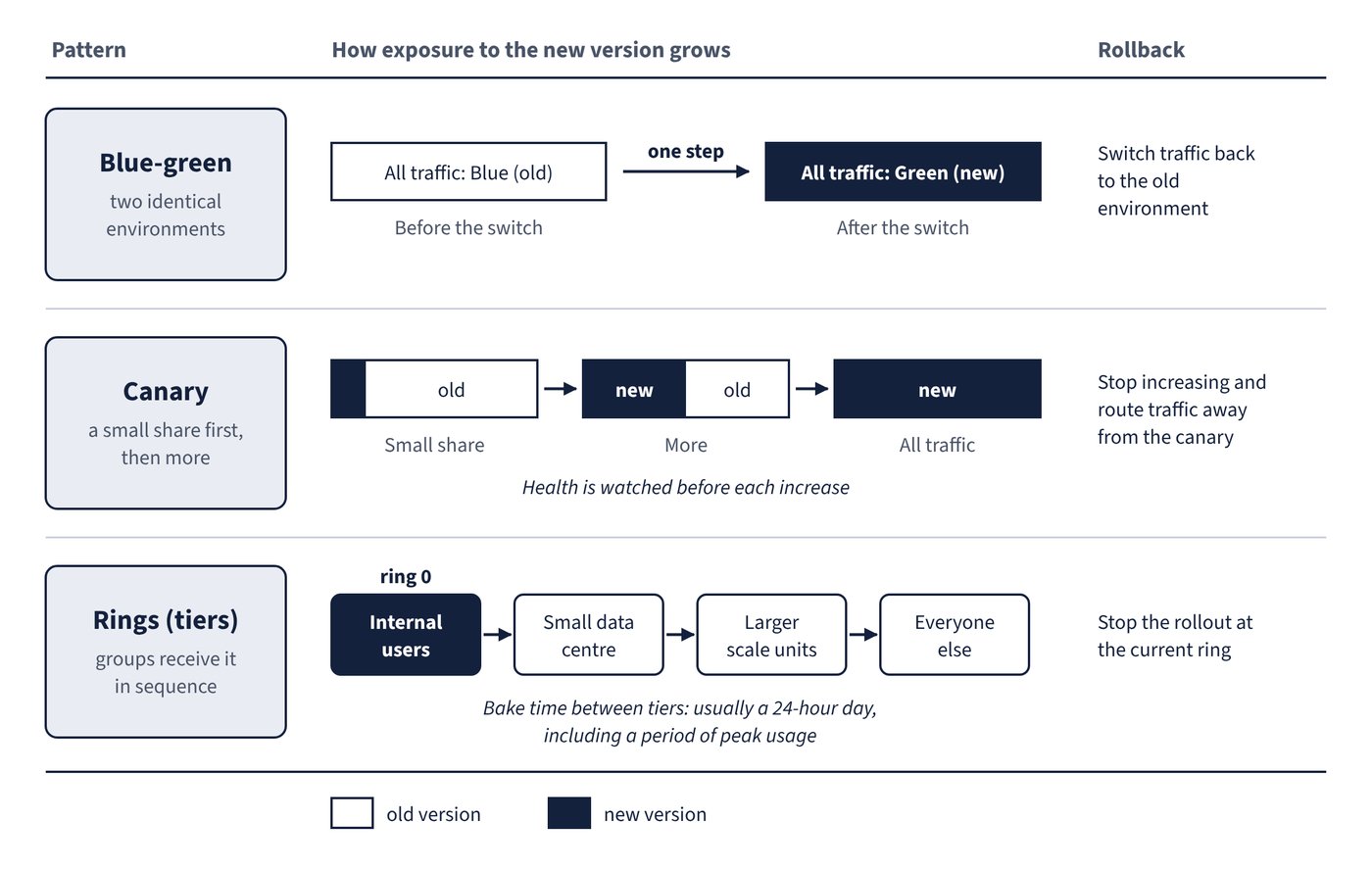
Common trap: Treating blue-green and canary as the same thing - blue-green moves all traffic at once between two complete environments, while canary moves a small, increasing share and watches health before continuing.