Several retention policies can apply to the same item, plus at most one retention label; Microsoft Purview doesn’t pick a winning policy but works out separately how long the item is retained and when it is deleted.
The four principles
Apply them in order; each level breaks ties left by the level above. Figure 9.1 sets out the four levels with an example of each.
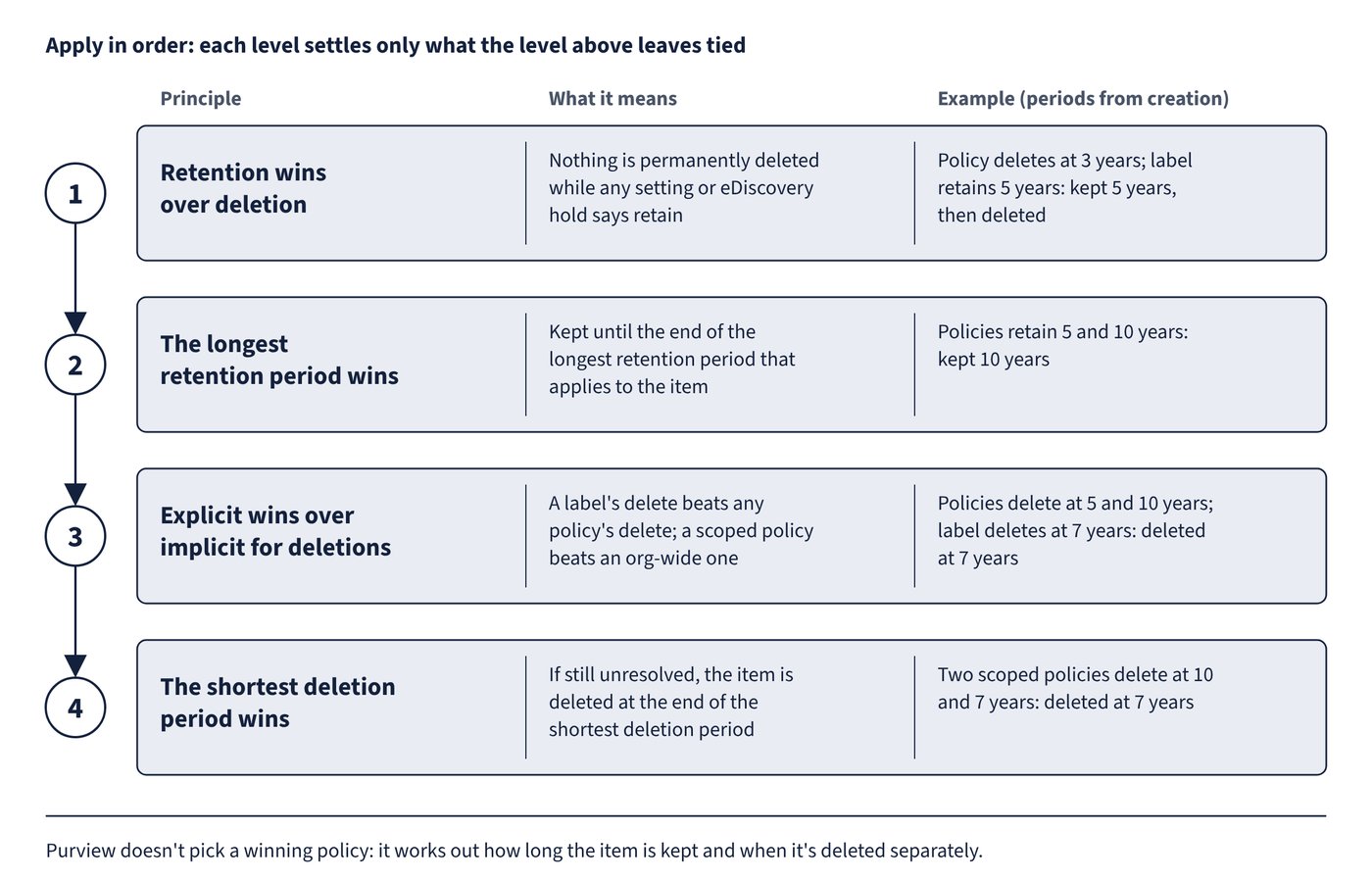
| Order | Principle | Meaning |
|---|---|---|
| 1 | Retention wins over deletion | An item isn’t permanently deleted while any setting (or eDiscovery hold) says retain; the delete is suspended, though the item may leave the user’s view |
| 2 | The longest retention period wins | The item is kept until the end of the longest retention period that applies to it |
| 3 | Explicit wins over implicit for deletions | A retention label’s delete action beats any policy’s delete action; among policies only, a policy scoped to specific instances (adaptive, or static includes) beats an org-wide policy |
| 4 | The shortest deletion period wins | If still unresolved, the item is deleted at the end of the shortest deletion period |
Worked outcomes, all periods starting at creation:
| Settings on the item | Outcome |
|---|---|
| Policy deletes after 3 years; label retains 5 years | Retained 5 years (retention wins), then deleted |
| Policy retains 5 years; second policy retains 10 years | Retained 10 years (longest wins) |
| Policies delete at 5 and 10 years; label deletes at 7 years | Deleted at 7 years (label is explicit) |
| Policy retains 10 years; label deletes at 7 years | Retained 10 years, then deleted; the label’s delete takes effect once retention ends |
| Org-wide policy deletes at 10 years; policy scoped to specific mailboxes deletes at 5 years | Deleted at 5 years (scoped beats org-wide) |
| Two scoped policies delete at 10 and 7 years | Deleted at 7 years (shortest deletion) |
Points to note:
- The comparison is between the item’s actual dates, not the configured numbers. A five-year period from last modified can outlast a seven-year period from creation.
- Items under an eDiscovery hold fall under principle 1 and can’t be deleted by any retention setting until the hold is released, after which the principles apply again.
Policy lookup
Policy lookup in the Data lifecycle management or Records management solution lists the retention policies and retention label policies assigned to a specific user, site or Microsoft 365 group.
- Enter the exact email address of a user, the exact URL of a site (including a OneDrive URL) or the exact email address of a group.
- Wildcards and partial matches aren’t supported.
- Administrators restricted by administrative units see only policies for users in their units.
Common trap: Assuming the longest-configured delete period always applies - a retention label’s delete action takes precedence over every retention policy’s delete action, and among policies a scoped policy beats an org-wide one, so deletion can come earlier than the longest delete setting.