Before an ESX host that is a member of a vSAN cluster is shut down, rebooted or disconnected, it must be placed in maintenance mode, and every maintenance mode request on a vSAN host asks for a data evacuation mode. The choice decides how much data moves, how long it takes and how exposed the objects are while the host is away. Figure 5.1 shows which mode fits which situation.
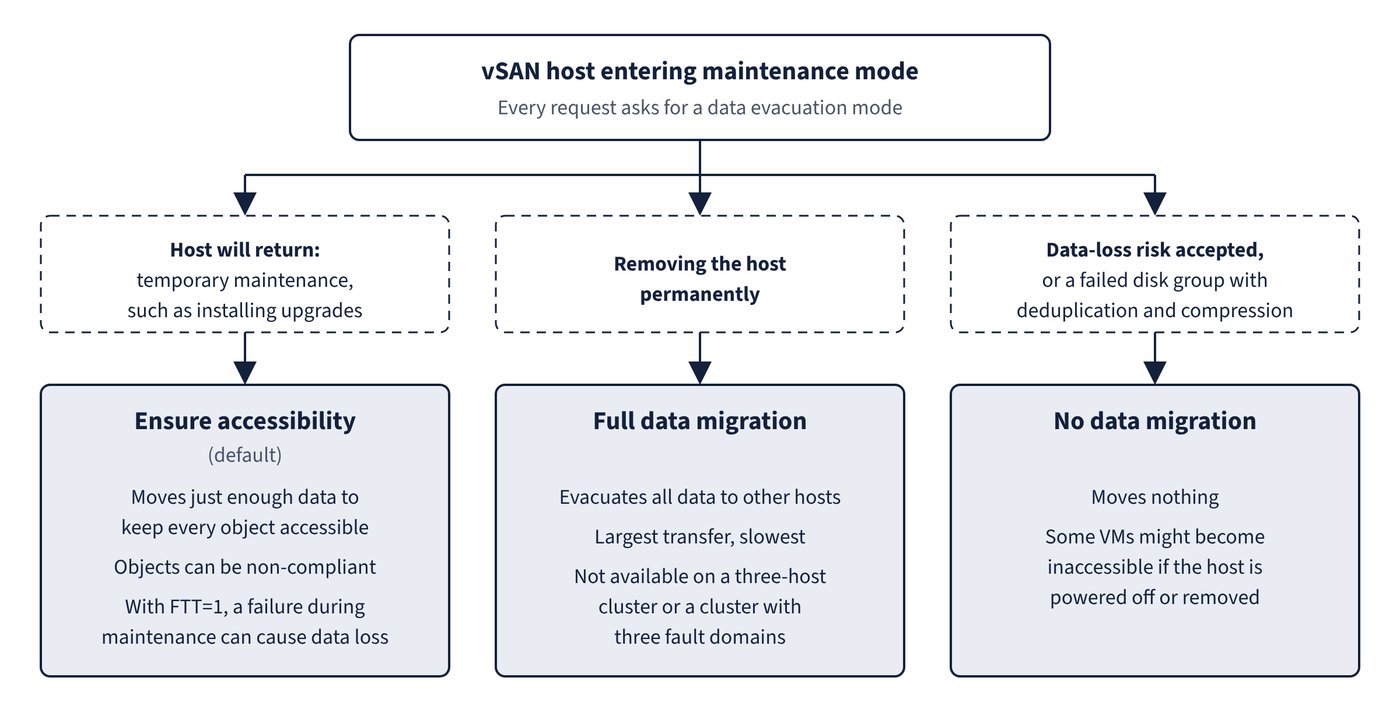
| Evacuation mode | What vSAN does | When to use it | Main risk or limit |
|---|---|---|---|
| Ensure accessibility (default) | Migrates just enough data so every object stays accessible | Temporary maintenance such as installing upgrades, when the host will return | Objects can be non-compliant; with FTT=1, a failure during maintenance can cause data loss. Not appropriate for permanent removal |
| Full data migration | Evacuates all data to other hosts and keeps the current compliance state | Removing the host permanently | Largest data transfer, slowest, most resources; not available on a three-host cluster or a cluster with three fault domains |
| No data migration | Moves nothing | Rare cases where data loss risk is accepted, or a failed disk group with deduplication and compression (see below) | Some VMs might become inaccessible if the host is powered off or removed |
Key behaviours of maintenance mode on a vSAN host:
- Cluster capacity drops automatically because the host no longer contributes storage. vCLS VMs on the host are powered off and unregistered, vSAN file service VMs on the host are powered off, and any vSAN iSCSI targets owned by the host move to other hosts.
- Ensure accessibility is faster than Full data migration because it moves only the components essential for running VMs, but it does not reprotect data if a failure happens.
- With Full data migration, data is reprotected against a failure if resources allow and FTT is 1 or more. If objects are already in a reduced availability state, this mode keeps that state and does not guarantee they become compliant. If a VM object with data on the host is inaccessible and cannot be fully evacuated, the host cannot enter maintenance mode.
- An Enhanced durability mode stores incremental writes if an unexpected host failure occurs while a host is in maintenance mode; it applies when objects use FTT=1 and the host enters with Ensure accessibility.
- A cluster with three hosts, or with three fault domains, can only use Ensure accessibility. The docs recommend four or more hosts for maximum availability.
Pre-checks before entering maintenance mode
The data migration pre-check (cluster > Monitor > vSAN > Data Migration Pre-check) shows, for a chosen host and evacuation mode, whether the host can safely enter maintenance mode. Its tabs are Object state (objects that might have issues), Cluster Capacity (before and after) and Predicted Health (health checks likely to be affected). If the pre-check passes, the Enter Maintenance Mode button can be used directly from the results. Before using Full data migration, also confirm enough hosts and free capacity remain to meet FTT, enough capacity devices remain for any stripe width rule, and (OSA hybrid) enough flash for read cache reservations.
The same task can be done from the host shell. The vsanmode values are ensureObjectAccessibility (default), evacuateAllData and noAction; VMs on the host should be powered off first.
esxcli system maintenanceMode set --enable 1 --vsanmode=evacuateAllData
esxcli system maintenanceMode get
esxcli system maintenanceMode set --enable 0
Common trap: Using Ensure accessibility to remove a host permanently because it finishes faster - the docs state it is not appropriate for permanent removal; use Full data migration so all components are rebuilt elsewhere and stay compliant.