What's inside
PL-300 doesn't test whether you can find a menu. It tests whether you can choose the right storage mode, transformation, relationship, DAX pattern, visual or sharing method for a Power BI requirement.
This independent study guide for the Microsoft Certified: Power BI Data Analyst Associate exam distils what PL-300 really expects you to understand into the comparisons, configuration choices and traps that report-building decisions turn on, with short DAX and Power Query M examples throughout.
Organised by technology
Fourteen chapters, each readable on its own and together covering all four PL-300 skill areas:
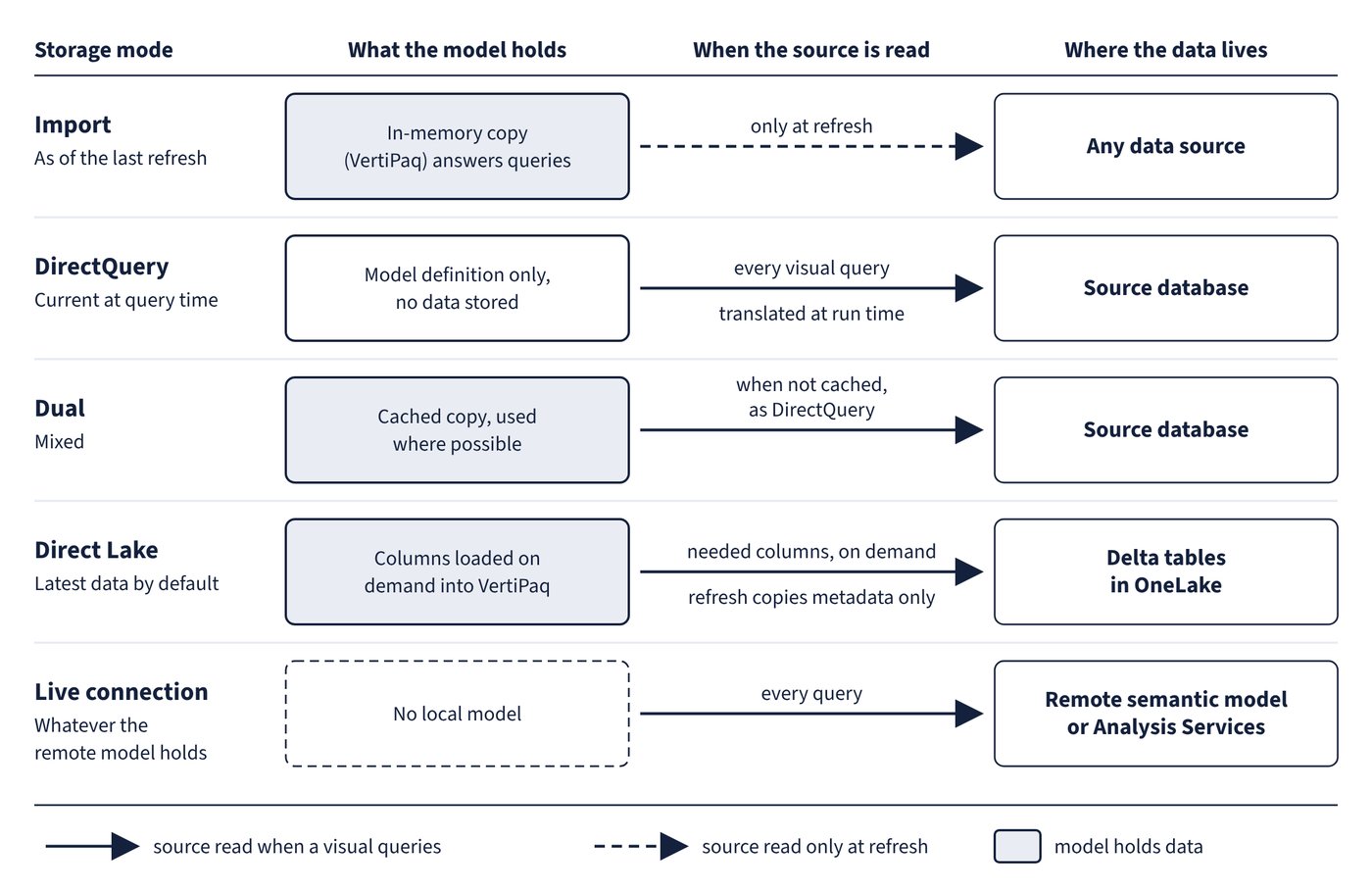
- Prepare the data: connectors and shared semantic models, Import, DirectQuery, Dual and Direct Lake, credentials and privacy levels, parameters, data profiling, cleaning and errors, column types, grouping, pivoting and unpivoting, JSON, merges and appends, reference versus duplicate queries and query loading.
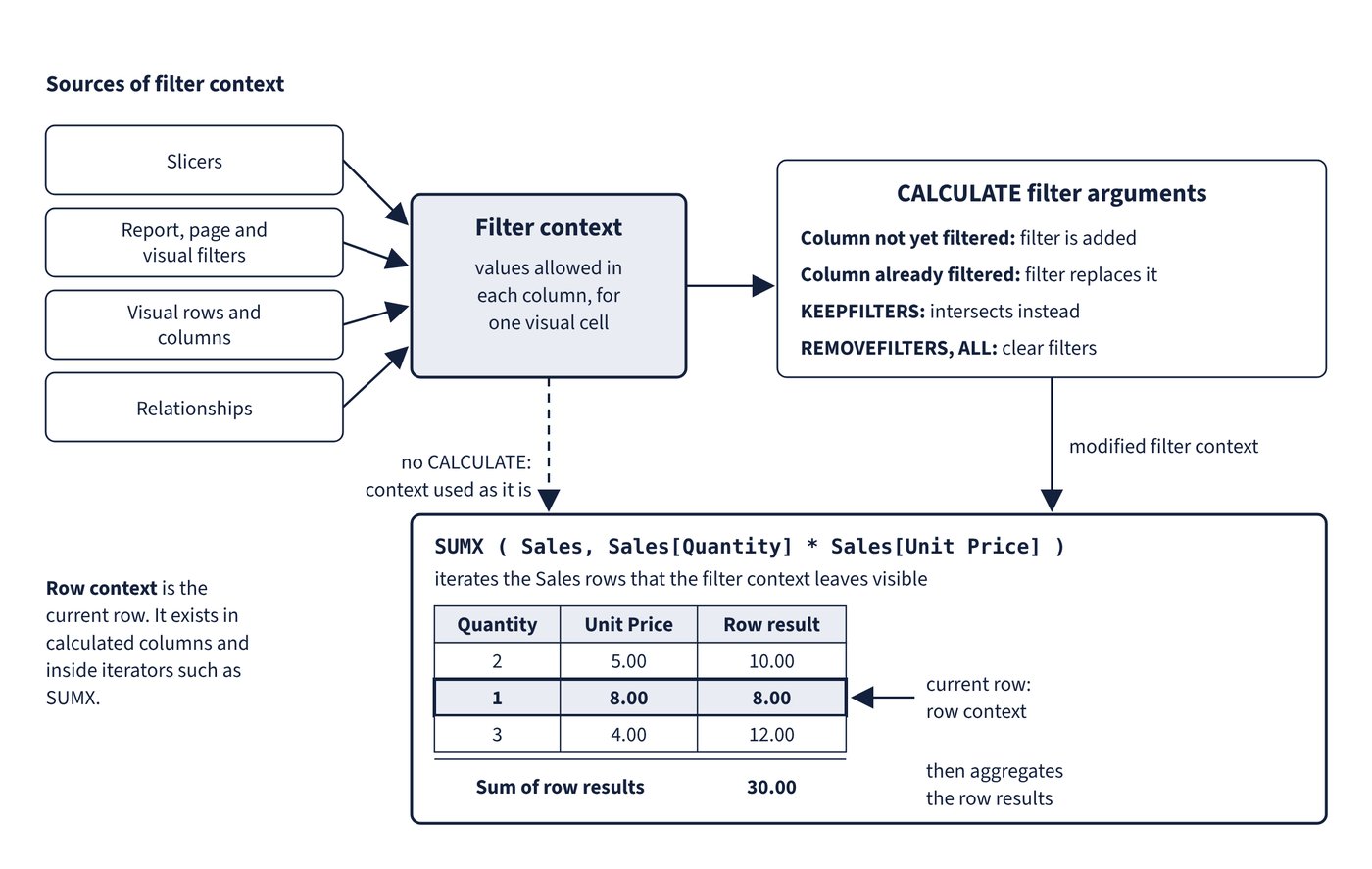
- Model the data: star schemas, table and column properties, relationships and cross-filter direction, role-playing dimensions, date tables, calculated columns and tables, measures and CALCULATE, statistical functions, time intelligence, semi-additive measures, calculation groups, visual calculations and performance tuning with Performance Analyzer and DAX query view.
- Visualise and analyse the data: choosing and formatting visuals, themes, conditional formatting, slicers and filters, paginated reports, Copilot, the narrative visual, key influencers, the decomposition tree, forecasting, anomaly detection, bookmarks, tooltips, drillthrough, mobile layouts, accessibility and automatic page refresh.
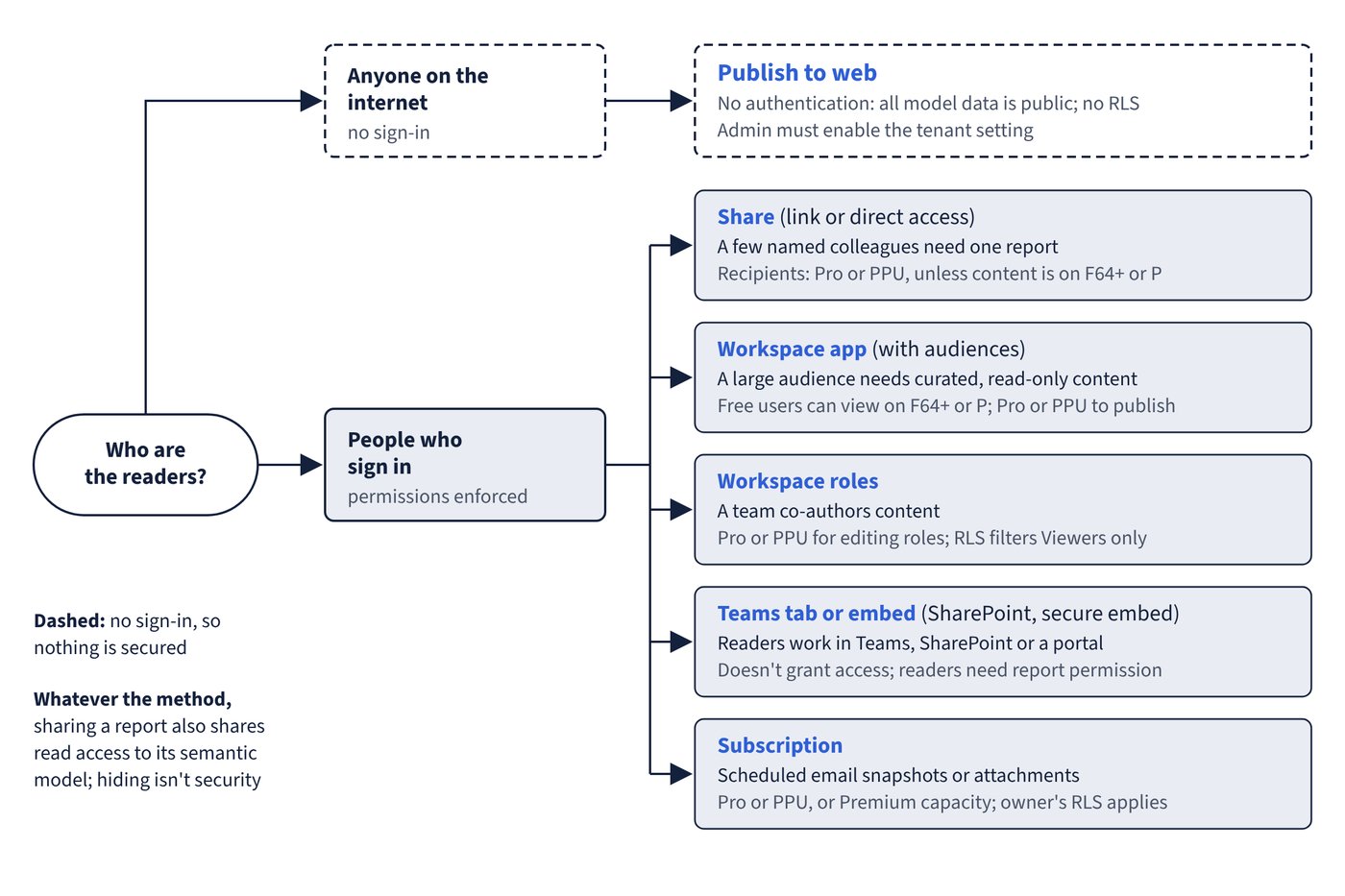
- Manage and secure Power BI: workspaces, apps and audiences, dashboards, distribution and embedding, subscriptions and alerts, endorsement, gateways, scheduled refresh, workspace roles, semantic model permissions, row-level security and sensitivity labels.
Inside
- Comparison tables for every close call, such as which storage mode, which merge, which visual or which distribution method fits a requirement.
- 164 Common trap callouts that name the answers that look right but aren't, and explain what's right instead.
- 13 diagrams, from the analyst workflow and storage modes to filter context, drillthrough, distribution methods and dynamic row-level security.
- Key takeaways at the end of every chapter for fast revision.
- A glossary of more than 400 terms, each linked to Microsoft Learn, with a free online version for print readers.
Up to date
Power BI changes quickly. This edition reflects Microsoft's documentation as of October 2026 and the skills measured from 20 April 2026, including Copilot in Power BI, the narrative visual, visual calculations, calendar-based time intelligence, Direct Lake, semantic models (formerly datasets) and the retirement of Q&A and the Bing Maps visuals.
Understanding, not memorising
This book contains no exam questions. It explains the knowledge the exam expects, so you can answer questions you have never seen and apply the same judgement to real reports.
Written by Tony Rough, a cloud architect with more than twenty years in IT infrastructure who holds the Azure Solutions Architect Expert, Azure Administrator and Azure Security Engineer certifications.
Part of the Ultra Transcenders series from Distilled Press. An independent publication, not affiliated with, sponsored by or endorsed by Microsoft Corporation.