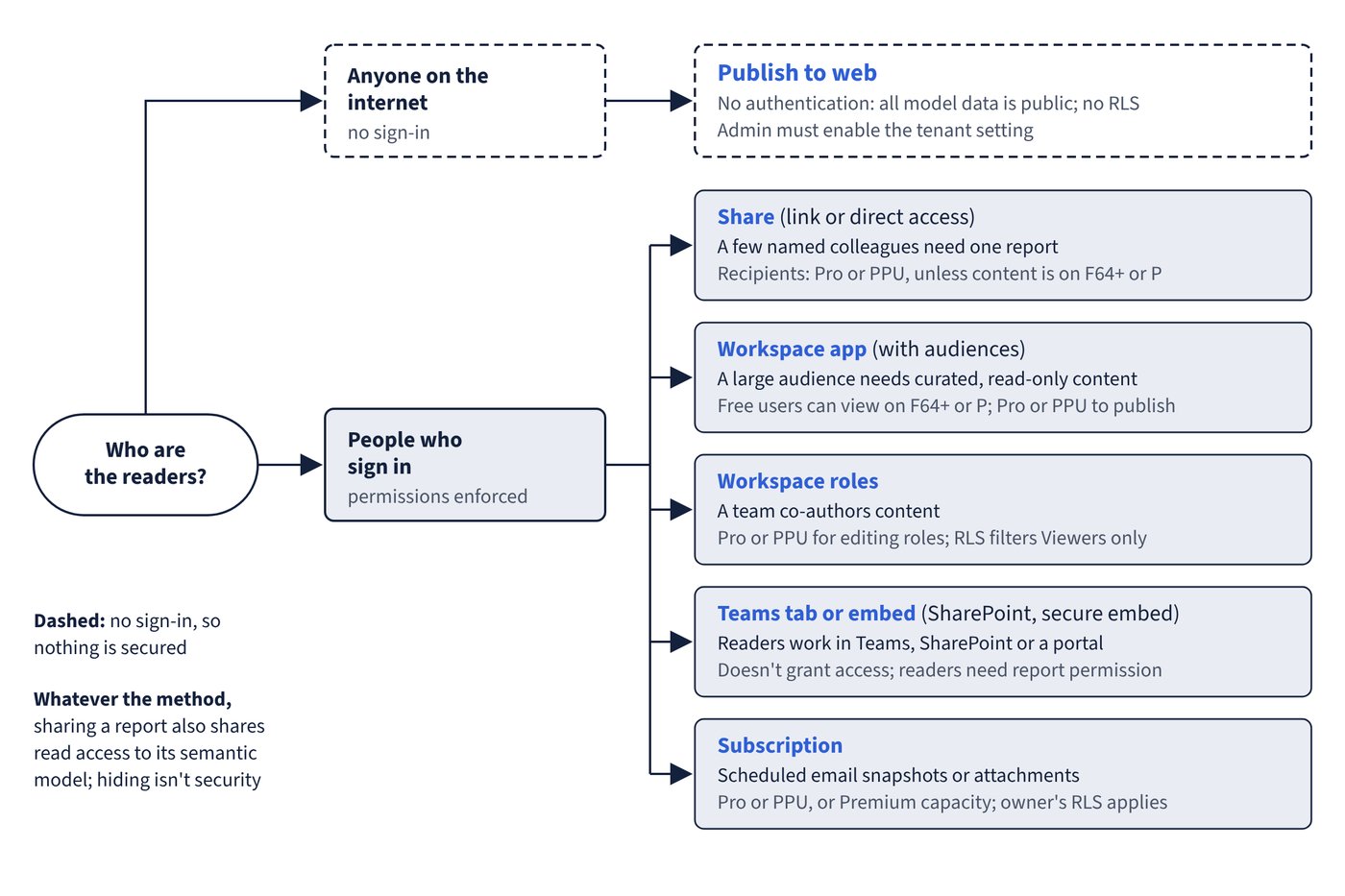
Power BI offers many ways to put content in front of people, and they differ in audience size, interactivity, licensing and security. A good choice starts from who the readers are and whether they must sign in. Figure 12.1 maps each audience to a method.
| Requirement | Method | Licensing and permissions | Security notes |
|---|---|---|---|
| A few named colleagues need one report | Share (link or direct access) | Sharer needs Pro or PPU (or Premium capacity); recipients need Pro or PPU unless content is on F64+ or P | Reader gets access to the underlying semantic model; RLS applies |
| A large audience needs a curated, read-only set of content | Workspace app | Pro or PPU to publish; free users can view on F64+ or P | Separate audiences; read-only unless Build granted |
| A team co-authors content | Workspace roles | Pro or PPU for editing roles | RLS is enforced for the Viewer role, not for editing roles |
| Discussion inside Teams | Power BI tab in Teams | Viewers need permission to the item; free users only on F64+ or P | Adding a tab doesn’t grant access |
| Internal portal or SharePoint page | Embed in SharePoint Online or Website or portal (secure embed) | Viewers need Pro or PPU unless report and model are on F64+ or P | Sign-in required; permissions and RLS enforced |
| Anyone on the internet | Publish to web | Admin must enable the tenant setting | No authentication; all model data is public |
| Scheduled email snapshots or attachments | Subscriptions | Pro or PPU, or Premium capacity | Image reflects the subscription owner’s RLS |
| Excel analysis on live model data | Analyze in Excel | Build permission or Contributor role | Queries the model; RLS applies |
| Static file for printing or slides | Export to PDF or PowerPoint | Admin can disable | Sensitivity labels apply to the exported file |
Sharing links
Share creates a link for People in your organization (not usable by guests), Specific people (can include Microsoft Entra B2B guests) or People with existing access (grants nothing). Links include Reshare permission by default and exclude Build by default. Sharing a dashboard through direct access includes both Reshare and Build by default. Reports distributed to you in an app can’t be reshared; ask the app owner. A report can have up to 1,000 sharing links.
Whatever the method, sharing a report also shares read access to its semantic model. Hidden pages, columns or visuals aren’t security; use row-level or object-level security.
Common trap: Hiding sensitive columns in the model and then sharing the report broadly - hiding isn’t security; recipients can still reach the underlying semantic model data through features such as Analyze in Excel unless row-level or object-level security restricts it.