The effect in a definition decides what happens when a resource doesn’t comply: block it, report it, change it or deploy something alongside it. Effects that change resources need an identity and a remediation task to fix what already exists. Figure 4.1 shows which effects act at request time and which need a remediation task for existing resources.
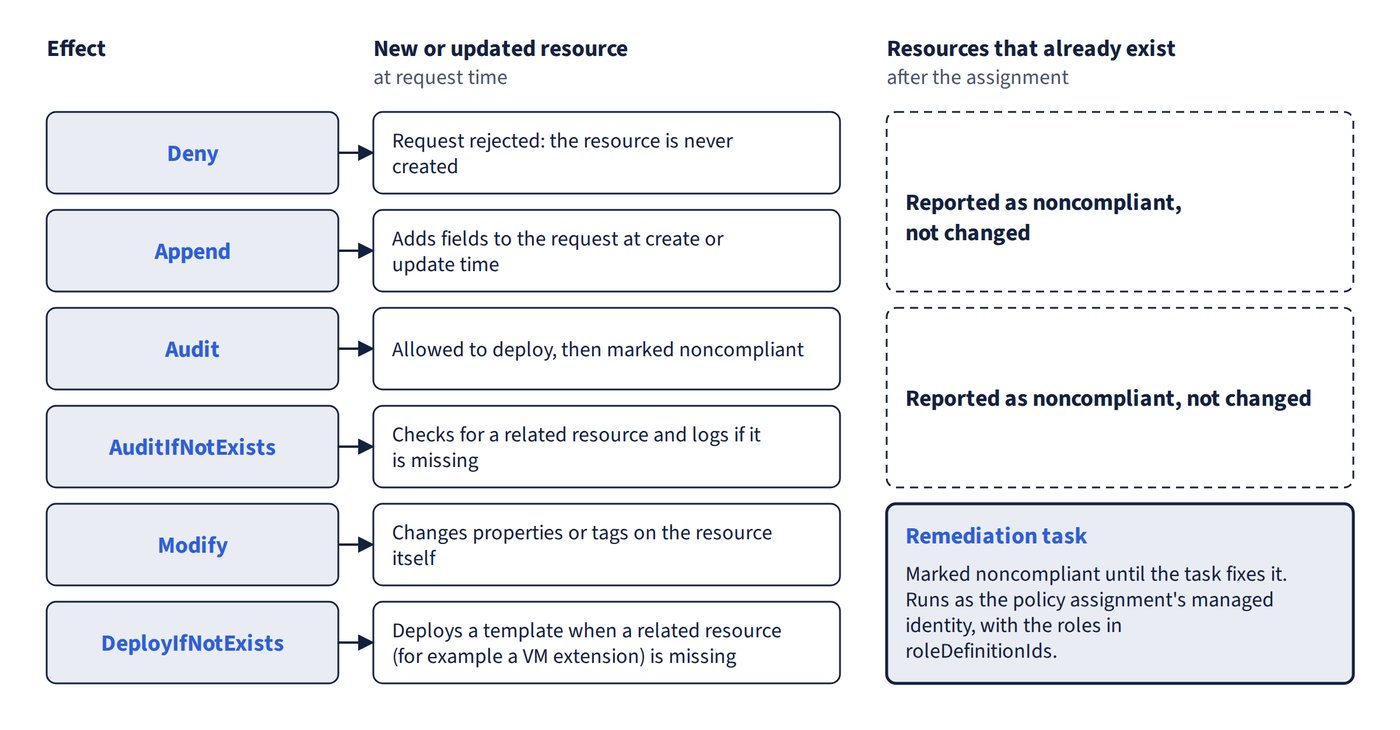
| Effect | What it does | Existing resources | Needs managed identity |
|---|---|---|---|
| Deny | Rejects the Resource Manager request, so the resource is never created | Marked noncompliant, not changed | No |
| Audit | Marks a resource noncompliant only if it was allowed to deploy | Reported | No |
| AuditIfNotExists | Checks for a related resource and logs if it’s missing | Reported | No |
| Append | Adds fields to the request at create/update time | Marked noncompliant, not changed | No |
| Modify | Changes properties or tags on the resource itself | Remediation task | Yes |
| DeployIfNotExists | Deploys a template when a related resource (for example a VM extension) is missing on new or updated resources | Marked noncompliant, fixed only by a remediation task | Yes |
- DeployIfNotExists and Modify remediation always runs under the policy assignment’s managed identity, not a service principal. The identity gets the roles listed in the definition’s
roleDefinitionIds. For extensions it needs a role such as Contributor, or the narrower Virtual Machine Contributor. User Access Administrator can’t deploy extensions. - EnforceOPAConstraint and EnforceRegoPolicy are deprecated Kubernetes effects.
Deny in practice
- Deny beats Audit: if both are assigned on the same scope, a noncompliant deployment (for example a SQL database with TDE disabled) is blocked, so there’s nothing for Audit to mark.
- Blocking noncompliant creation is an Azure Policy job, for example Deny on VMs without managed disks (a built-in definition audits VMs that don’t use managed disks). Azure Monitor collects metrics and logs, Defender for Cloud assesses and recommends but doesn’t block deployments by itself, and Azure Service Health reports platform incidents.
- Owner is still subject to Policy: Allowed/Not allowed resource types deny disallowed types whatever the RBAC role.
- If only NSGs are allowed, NSGs can be created but VNets can’t.
- If subnets are a not-allowed type, VNet creation is denied too, because a VNet is normally created with at least one subnet.
- Disallowing only VNet peerings doesn’t stop VNets or NSGs being created.
Common trap: a database deployed into a resource group that has both a Deny and an Audit assignment is created and then marked noncompliant - the Deny effect blocks the deployment, so no resource exists for Audit to report.
Remediation in PowerShell
Set-AzContext -Subscriptionswitches to the subscription that holds the assignment.Start-AzPolicyRemediationcreates and starts a remediation task. Adding-ResourceDiscoveryMode ReEvaluateCompliancere-scans compliance first.Get-AzPolicyRemediationonly reads tasks,Start-AzPolicyComplianceScanonly triggers an evaluation, andSet-AzResourceGrouponly changes resource group tags.