VCF Operations is the first stop for most running-platform faults once it is collecting data, while the installer, vCenter and the ESX host each keep their own lower-level tools. Start at the top of this table for broad questions and work down as the fault narrows. Figure 1.2 groups the same faults by where they arise.
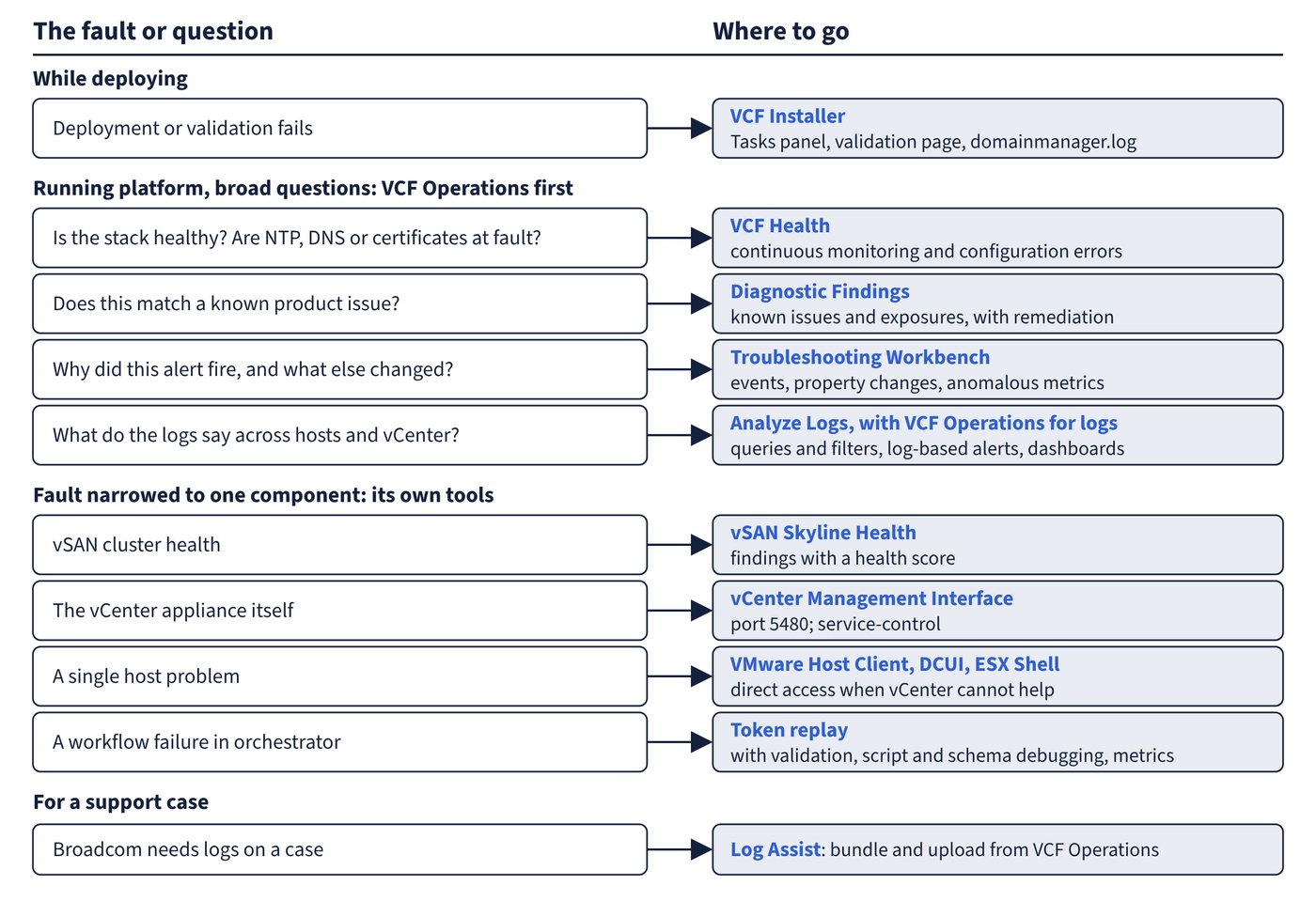
| Fault or question | Tool | What it gives you | Detail in |
|---|---|---|---|
| Deployment or validation fails | VCF Installer: Tasks panel, validation page, domainmanager.log |
Failed tasks, remediation text, the service log | Deploying VVF with the VCF Installer |
| On a VCF licence only: is the stack healthy, and are NTP, DNS or certificates at fault? | VCF Health in VCF Operations | Continuous monitoring: expired certificates, NTP drift, DNS misconfiguration, configuration errors. It requires a VCF licence and a system deployed by the VCF Installer, so a VVF licence does not give it | VCF Operations: configuration, log bundles and Log Assist |
| Does this match a known product issue? | Diagnostic Findings | Known issues, security exposures and best-practice recommendations, with remediation | VCF Operations: configuration, log bundles and Log Assist |
| Why did this alert fire, and what else changed? | Troubleshooting Workbench | Events, property changes and anomalous metrics in a chosen scope and time range | Troubleshooting VVF with VCF Operations |
| What do the logs say across hosts and vCenter? | Analyze Logs, with VCF Operations for logs | Queries and filters over infrastructure logs; log-based alerts and dashboards | VCF Operations for logs |
| vSAN cluster health | vSAN Skyline Health | Findings on hardware compatibility, network, configuration, devices and objects, with a health score | vSAN |
| vCenter appliance itself | vCenter Management Interface on port 5480; service-control |
Appliance administration and service control | vCenter |
| Single host problem | VMware Host Client, DCUI, ESX Shell | Direct access when vCenter cannot help | ESX hosts |
| Workflow failure in orchestrator | Token replay, validation, script and schema debugging, metrics | Run-level evidence inside the workflow | VCF Operations orchestrator: configuration and workflows |
| Broadcom needs logs on a case | Log Assist | Generates a bundle and uploads it from VCF Operations | VCF Operations: configuration, log bundles and Log Assist |
Finding the right starting view
- VCF Health requires a VCF licence and a system deployed by the VCF Installer, so it is not a starting view on a VVF licence. Where it runs, it gives data only on active inventory objects. If a resource is deleted, its related events are deleted immediately, so capture what is needed before removing a failed object.
- Troubleshooting Workbench opens from an alert, an object or a metric. The documented default time range is two hours and thirty minutes before the alert triggered when the context is an alert, and one hour before the current time when the context is an object. A different range of up to seven days can be selected.
- vSAN Skyline Health retests its findings periodically; the Retest button updates them immediately. Sorting by root cause lets you fix primary issues first and then check whether the impacted findings also clear.
Common trap: A workbench session will still be there tomorrow with its changes - active sessions do not persist after logging out. Changes to scope, time or evidence are not saved, and the session returns only as a recent search.