What's inside
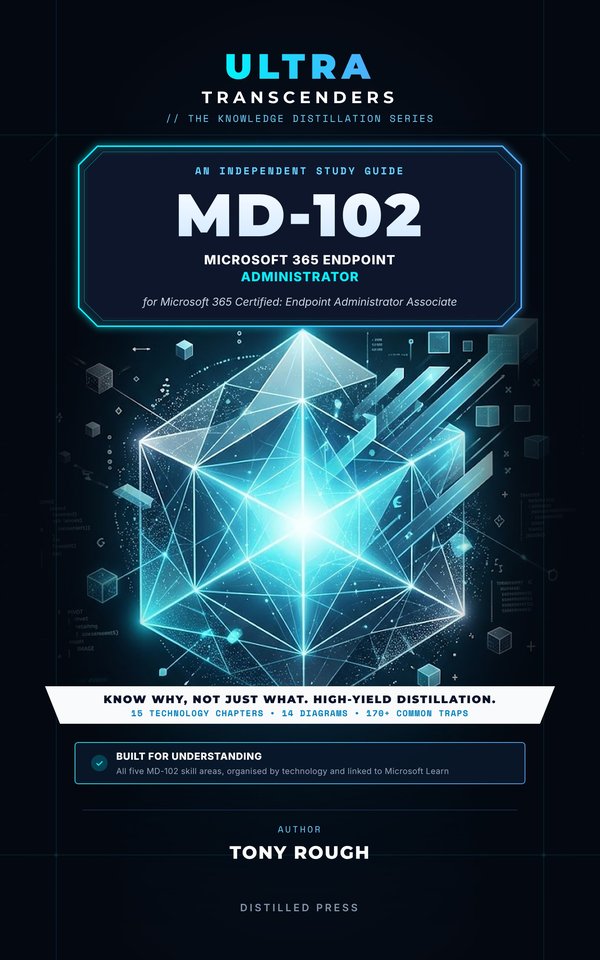
MD-102 doesn't test whether you can find a blade in the Intune admin center. It tests whether you can choose the right join type, enrolment method, profile, policy or role for a device requirement.
This independent study guide for the Microsoft 365 Certified: Endpoint Administrator Associate exam distils what MD-102 really expects you to understand into the comparisons, configuration choices and traps that endpoint decisions turn on, with short PowerShell, Microsoft Graph and KQL examples throughout.
Organised by technology
Fifteen chapters, each readable on its own and together covering all five MD-102 skill areas:
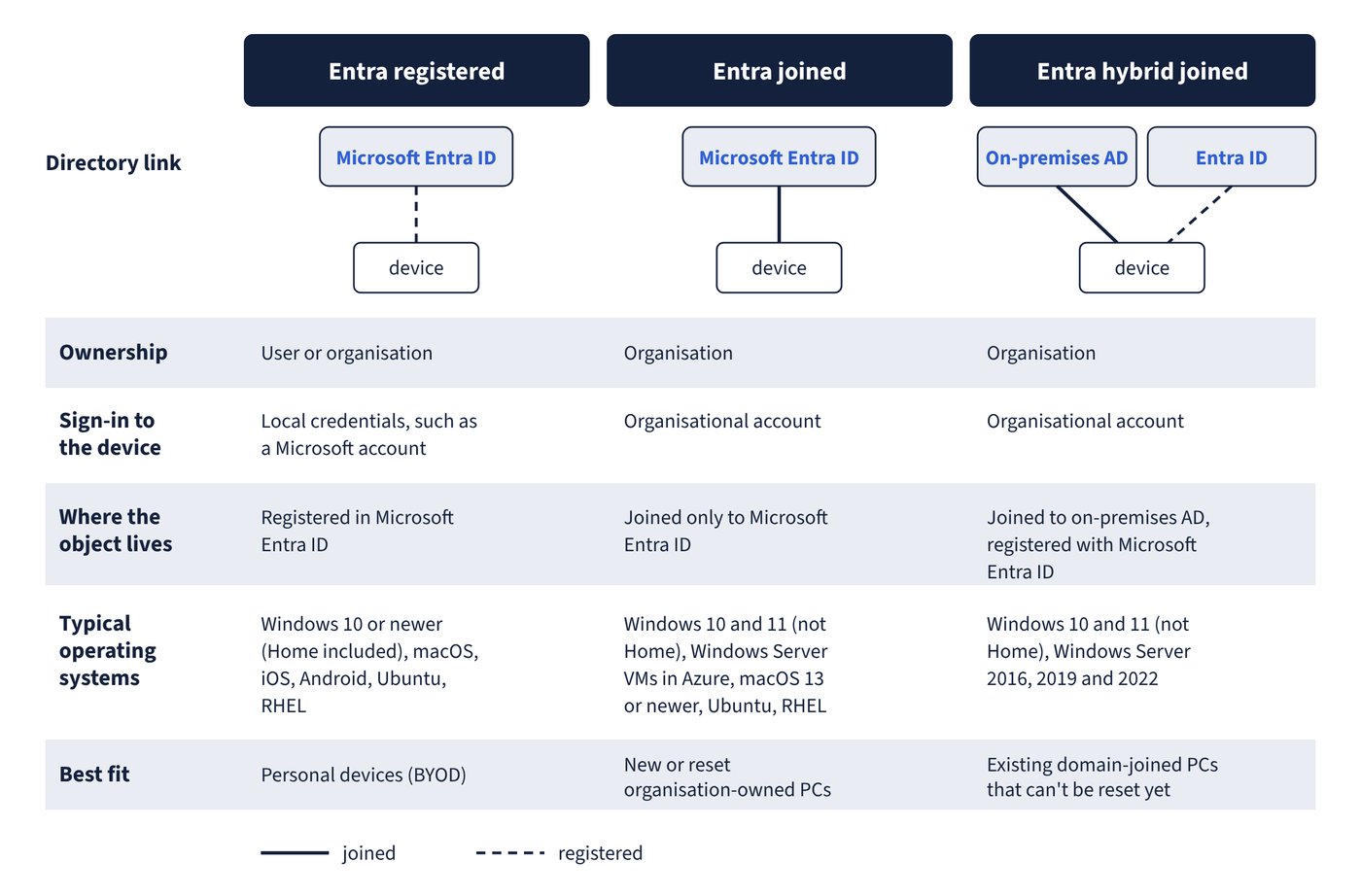
- Prepare infrastructure for devices: Microsoft Entra registered, joined and hybrid joined devices, dynamic device groups, enrolment settings and restrictions, Windows automatic enrolment, Apple ADE and personal enrolment, Android Enterprise, Knox and zero-touch, Intune roles, scope tags and multi-admin approval, compliance policies and Conditional Access, Windows Hello for Business, Windows LAPS and local group membership.
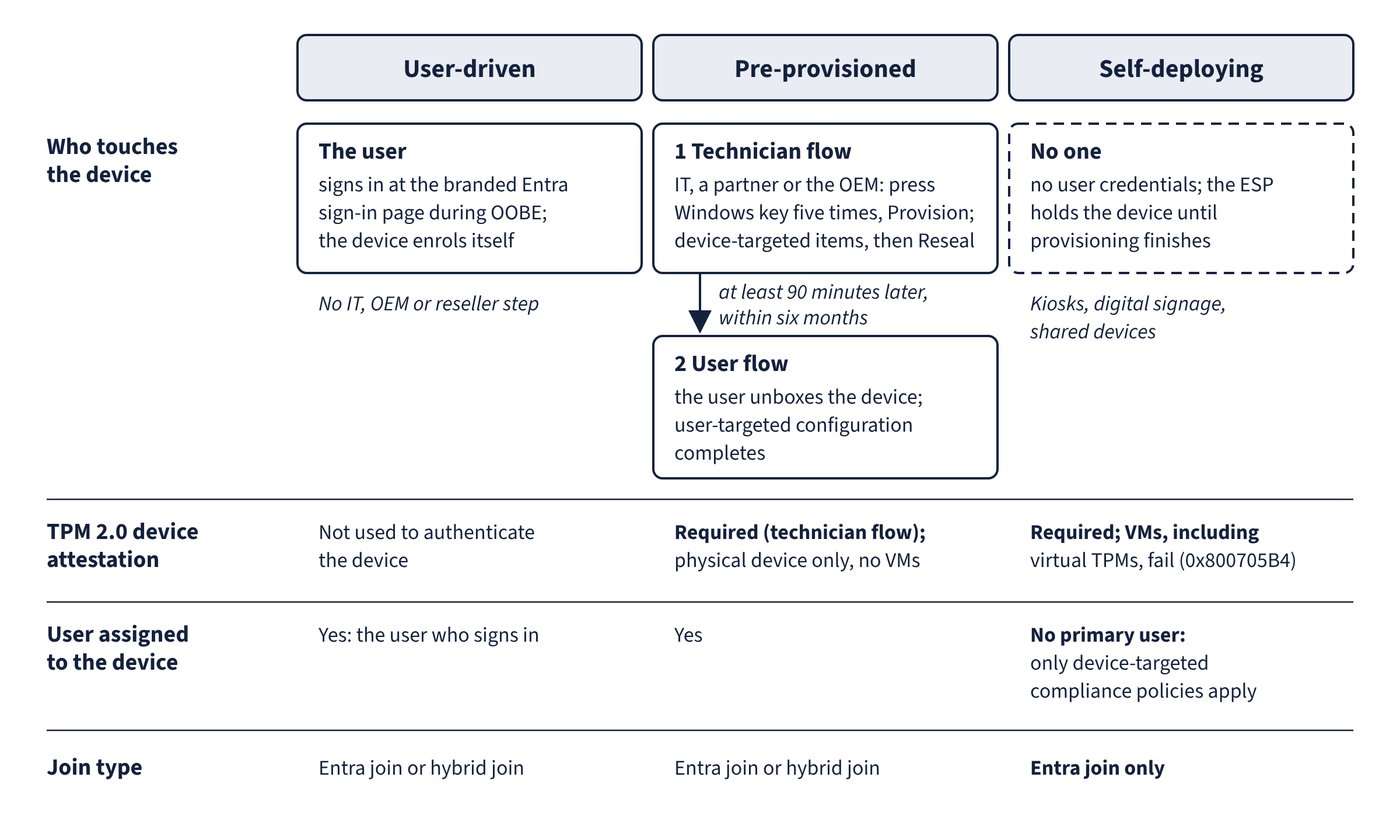
- Manage and maintain devices: Windows Autopilot profiles and device preparation, deployment modes, the Enrollment Status Page, Windows 11 upgrades, Windows settings backup and restore, Windows 365 Cloud PCs, configuration profiles for every platform, assignment filters, the Intune Suite add-ons and remote actions.
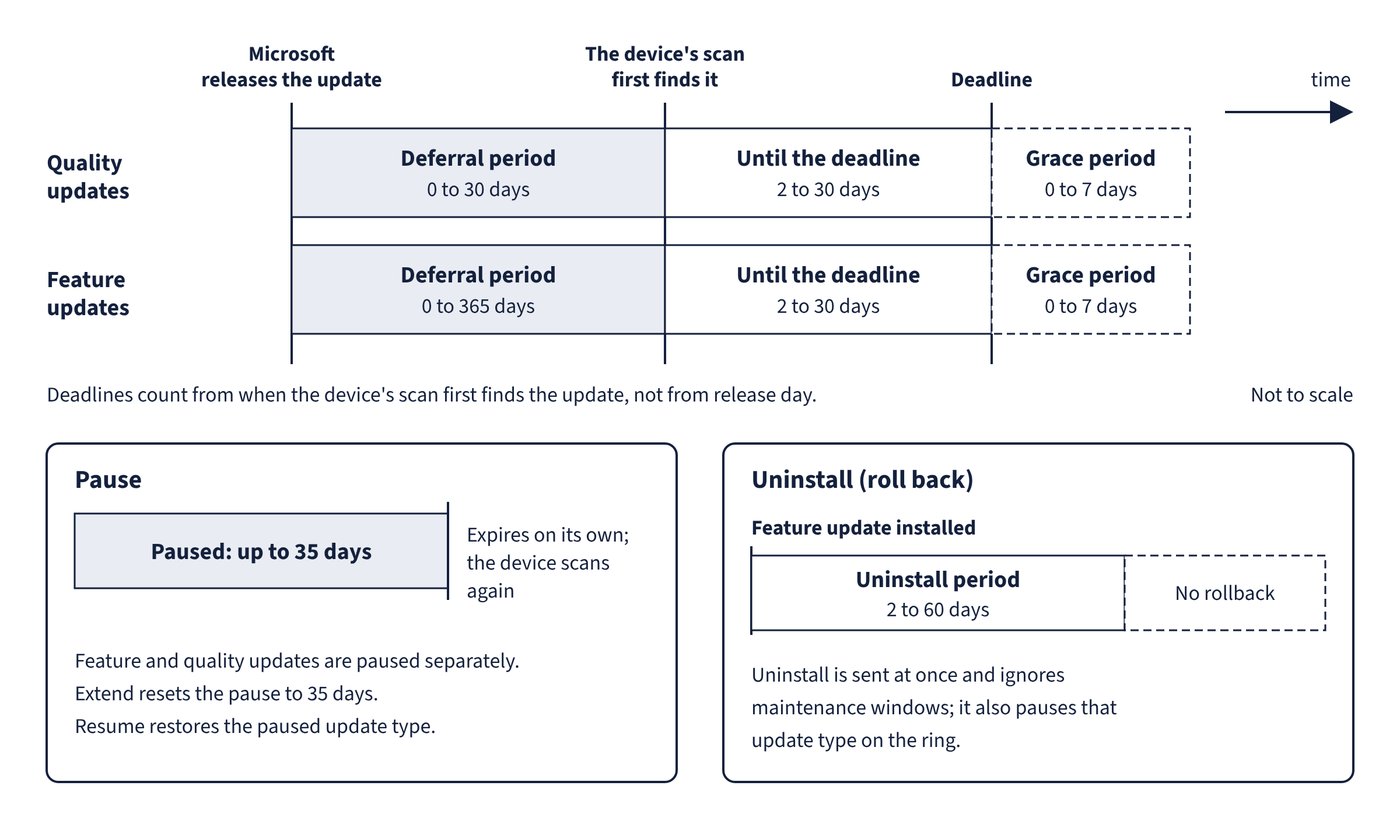
- Protect devices: antivirus, disk encryption, firewall and attack surface reduction policies, App Control for Business, security baselines, Microsoft Defender for Endpoint, update rings, feature and quality updates, Windows Autopatch, hotpatch, Apple and Android updates and Delivery Optimization.
- Manage and secure applications, and optimise operations: Win32, LOB and store apps, Microsoft 365 Apps, app protection and app configuration policies, Microsoft Graph automation, Security Copilot in Intune, reports, Endpoint analytics and Remediations.
Inside
- Comparison tables for every close call, such as which join type, which enrolment method, which Autopilot mode or which policy type fits a requirement.
- 179 Common trap callouts that name the answers that look right but aren't, and explain what's right instead.
- 14 diagrams, from device identity states and Android management options to Autopilot modes, update ring timing and app protection.
- Key takeaways at the end of every chapter for fast revision.
- A glossary of more than 450 terms, each linked to Microsoft Learn, with a free online version for print readers.
Up to date
Microsoft Intune changes quickly. This edition reflects Microsoft's documentation as of October 2026 and the skills measured from 27 October 2026, including Windows Autopilot device preparation, Windows 365 Flex, Windows settings backup and restore, the Intune Suite add-ons, Security Copilot in Intune and the retirement of tools such as the Microsoft Deployment Toolkit and Windows Information Protection.
Understanding, not memorising
This book contains no exam questions. It explains the knowledge the exam expects, so you can answer questions you have never seen and apply the same judgement to real devices.
Written by Tony Rough, a cloud architect with more than twenty years in IT infrastructure who holds the Azure Solutions Architect Expert, Azure Administrator and Azure Security Engineer certifications.
Part of the Ultra Transcenders series from Distilled Press. An independent publication, not affiliated with, sponsored by or endorsed by Microsoft Corporation.